Best Graphics Cards for Gaming in 2026: 15 Picks Ranked by Specs
As an Amazon Associate we earn from qualifying purchases. Links on this page are affiliate links.
Finding the best graphics cards for gaming depends on matching hardware specifications to your PC build. We compared 15 models using the specifications published on their listings. The EVGA GeForce RTX 3090 24GB holds the top spot because it provides 24GB of GDDR6X memory and an 1800MHz boost clock for demanding setups.
Physical dimensions and display outputs vary across different models. This guide helps you decide which card fits your case clearance, memory needs, and gaming hardware requirements.
Quick picks
The best fit for you
- You need maximum memory for heavy gaming builds EVGA GeForce RTX 3090 24GB This card provides 24GB of GDDR6X memory and an 1800MHz boost clock.
- You need the shortest card for small cases ASUS Phoenix GeForce RTX 3060 12GB Its compact 7-inch length fits tight enclosures while supplying 12GB of GDDR6 memory.
- You want to drive multiple monitors for gaming ZOTAC GeForce RTX 3070 Twin Edge OC 8GB It accommodates up to four displays via HDMI 2.1 and DisplayPort connections with an 8GB GDDR6 pool.
- You are assembling a specialized white BTF system ASUS TUF RTX 4070 Ti Super BTF White This model requires a BTF motherboard and provides 16GB of GDDR6X memory.
Our 15 picks

EVGA GeForce RTX 3090 24GB
Best for: gaming rigs requiring maximum video memory
- Use
- Gaming (what this guide is about)
- Graphics Processor
- GeForce RTX 3090
- Memory Size
- 24GB
- Memory Type
- GDDR6X
- Boost Clock
- 1800MHz
- PCIe Interface
- PCIe 4
This card is a high-end gaming GPU featuring 24GB of GDDR6X memory and 10496 CUDA cores. It runs on the PCIe 4.0 interface with an 1800MHz boost clock and uses a three-fan thermal design with ARGB lighting. If you play demanding games that require substantial video memory and high core counts, this card provides the hardware capacity you need for heavy graphical workloads in your desktop PC setup.
Pros
- 24GB of GDDR6X memory
- 1800MHz boost clock
- 10496 CUDA cores
- Triple-fan cooling design with ARGB LED
Cons
- Long card length at 11.8 inches requires ample case clearance
- Total weight of 2.5 pounds adds physical load to expansion slots
Good fit if
- You need 24GB of high-speed GDDR6X memory for demanding game textures.
- You have a PC chassis with over 11.8 inches of clearance for card length.
- You want a high core count of 10496 CUDA cores paired with an 1800MHz boost clock.
Skip if
- You build inside a compact enclosure that cannot house an 11.8-inch card.
- You prefer a lighter component setup below 2.5 pounds.
Verdict: EVGA GeForce RTX 3090 24GB Graphics Card provides high core counts and 24GB of GDDR6X memory for resource-heavy gaming setups. Its 1800MHz boost clock and triple-fan assembly deliver robust hardware capability if your chassis accommodates its 11.8-inch frame.

ZOTAC GeForce RTX 3070 Twin Edge OC 8GB
Best for: multi-display gaming with 256-bit GDDR6 memory
- Use
- Gaming (what this guide is about)
- Graphics Processor
- GeForce RTX 3070
- Memory Size
- 8GB
- Memory Type
- GDDR6
- Boost Clock
- 1755 MHz
- Memory Bus Width
- 256-bit
The ZOTAC GeForce RTX 3070 8GB provides a boost clock speed of 1755 MHz and 8GB of 256-bit GDDR6 memory on a PCIe 4.0 interface. It features IceStorm 2.0 cooling with active fan control and freeze fan stop. Connectivity includes three DisplayPort 1.4a outputs and one HDMI 2.1 port, supporting up to four displays. This card suits you if you run standard gaming setups across multiple monitors without needing massive memory capacities.
Pros
- Boost clock speed of 1755 MHz
- 256-bit memory bus width with 14 Gbps GDDR6
- Supports four concurrent displays across three DisplayPort 1.4a ports and one HDMI 2.1 port
- IceStorm 2.0 cooling system with FREEZE fan stop and active fan control
Cons
- 8GB memory capacity is lower than 12GB and 24GB cards on this list
- Uses standard GDDR6 rather than faster GDDR6X memory
- Lighting is limited to a single white LED logo
Good fit if
- You run up to four displays via DisplayPort 1.4a and HDMI 2.1
- You want cooling fans that stop completely during low-load operation
- You need a 256-bit memory bus interface for gaming
Skip if
- You require more than 8GB of video memory for your software
- You want customizable RGB lighting instead of fixed white illumination
Verdict: ZOTAC GeForce RTX 3070 8GB delivers a 1755 MHz boost clock and a 256-bit memory bus for multi-display gaming systems. It handles up to four screens through its HDMI 2.1 and DisplayPort connections while keeping fans idle during low loads.

ASUS ROG Strix GeForce RTX 3090 24GB
Best for: gamers needing 24GB GDDR6X memory
- Use
- Gaming (what this guide is about)
- Graphics Processor
- GeForce RTX 3090
- Memory Size
- 24GB
- Memory Type
- GDDR6X
- Dimensions
- 31.9 × 14 × 57.8 inches
- Weight
- 3.97 pounds
This graphics card uses the GeForce RTX 3090 processor and provides 24GB of GDDR6X memory for gaming. It includes Axial-tech fans and arrives as an OC Edition model. Weighing 3.97 pounds, this card suits you if you require high memory volume for heavy gaming tasks. You should confirm your case has ample space and support before installing it.
Pros
- 24GB of high-speed GDDR6X memory
- GeForce RTX 3090 graphics processor
- Equipped with Axial-tech cooling fans
- Factory OC Edition configuration
Cons
- Heavy build weighing 3.97 pounds
- Large listed dimensions require significant chassis space
- No video output ports listed in specifications
Good fit if
- You need 24GB of GDDR6X memory for demanding gaming setups.
- You want a GeForce RTX 3090 built with Axial-tech fans.
Skip if
- You have a compact case with tight internal clearance.
- You need a lightweight card that weighs under three pounds.
Verdict: ASUS ROG Strix GeForce RTX 3090 24GB provides 24GB of GDDR6X memory and Axial-tech cooling for intensive gaming setups. Its 3.97-pound build requires a chassis capable of supporting a substantial hardware profile.

MSI GeForce RTX 3060 Triple Fan 12GB
Best for: gamers wanting 12GB VRAM and quiet cooling
- Use
- Gaming (what this guide is about)
- Graphics Processor
- GeForce RTX 3060
- Memory Size
- 12GB
- Memory Type
- GDDR6
- Boost Clock
- 1807 MHz
- Memory Bus Width
- 192-Bit
This card is a GeForce RTX 3060 graphics card built with 12GB of GDDR6 memory and a triple-fan thermal setup. It operates with an 1807 MHz boost clock across a 192-bit memory bus on a PCIe 4.0 interface. You get three DisplayPort 1.4a outputs and one HDMI 2.1 port. It suits you if you need generous VRAM capacity and quiet cooling in a full-size case.
Pros
- 12GB GDDR6 memory capacity
- Triple-fan cooler with Zero Frozr fan-stop mode
- 1807 MHz boost clock speed
- Four display outputs including HDMI 2.1 and three DisplayPort 1.4a
Cons
- 12.4-inch card length requires significant case space
- 192-bit memory bus width
- Only one HDMI port provided
Good fit if
- You want 12GB of VRAM for gaming.
- You have a PC chassis with at least 12.4 inches of clearance.
- You want cooling fans that stop spinning during low workloads.
Skip if
- You use a compact case that cannot fit a 12.4-inch card.
- You require more than one direct HDMI display connection.
- You need memory bus bandwidth wider than 192 bits.
Verdict: MSI GeForce RTX 3060 12GB Triple Fan delivers generous memory capacity and quiet triple-fan cooling for desktop gaming setups. Its 12.4-inch card length demands ample case clearance.

EVGA GeForce RTX 3060 XC Dual-Fan 12GB
Best for: compact gaming PCs needing 12GB VRAM
- Use
- Gaming (what this guide is about)
- Graphics Processor
- GeForce RTX 3060
- Memory Size
- 12GB
- Memory Type
- GDDR6
- Boost Clock
- 1882 Mhz
- Dimensions
- 7.94 × 1.54 × 4.33 inches
The EVGA GeForce RTX 3060 XC Gaming 12GB delivers standard mid-tier gaming specs in a compact design. It features an 1882 MHz boost clock paired with 12GB of GDDR6 video memory to handle modern game assets. A dual-fan cooling system and metal backplate fit within a modest 7.94-inch length. You will find this card suits smaller PC enclosures where space is limited but generous video memory is still required for your gaming setup.
Pros
- 1882 MHz boost clock
- 12GB GDDR6 memory capacity
- Compact 7.94-inch card length
- Dual-fan cooler with protective metal backplate
Cons
- Renewed hardware rather than brand-new condition
- Standard GDDR6 memory instead of faster GDDR6X
Good fit if
- You build inside a compact PC chassis needing a card under 8 inches long
- You want 12GB of GDDR6 memory for asset-heavy gaming
- You prefer an elevated 1882 MHz boost clock in a dual-fan form factor
Skip if
- You require a factory-new rather than renewed graphics card
- You need higher memory bandwidth provided by GDDR6X models
Verdict: EVGA GeForce RTX 3060 XC Gaming 12GB fits substantial 12GB GDDR6 memory and an 1882 MHz boost clock into a compact 7.94-inch profile. It serves space-conscious gaming builds that still demand dedicated ray tracing hardware.

ASUS TUF RTX 4070 Ti Super BTF White
Best for: clean BTF gaming builds needing 16GB VRAM
- Use
- Gaming (what this guide is about)
- Graphics Processor
- GeForce RTX 4070 Ti Super
- Memory Size
- 16GB
- Memory Type
- GDDR6X
- PCIe Interface
- PCIe 4.0
- Weight
- 2.87 pounds
This ASUS graphics card features an NVIDIA GeForce RTX 4070 Ti Super processor paired with 16GB of high-speed GDDR6X memory. It runs on a PCIe 4.0 interface and comes in a white finish weighing 2.87 pounds. The unit requires a compatible BTF motherboard rather than a standard layout. It suits you if you want 16GB VRAM for gaming and build specifically with a BTF-compatible motherboard.
Pros
- 16GB GDDR6X video memory
- GeForce RTX 4070 Ti Super processor
- PCIe 4.0 interface support
- Factory overclocked edition
Cons
- Only supports BTF motherboards
- Limited to white colorway
Good fit if
- You use or plan to buy a BTF motherboard.
- You want 16GB of GDDR6X memory for gaming.
- You are assembling a white-themed build.
Skip if
- You use a traditional motherboard without BTF connector support.
- You need a card with a standard dark color scheme.
Verdict: ASUS TUF RTX 4070 Ti Super BTF White provides 16GB of GDDR6X memory and PCIe 4.0 connectivity for modern gaming rigs. Its mandatory BTF motherboard design makes it suitable only for specialized BTF system builds.
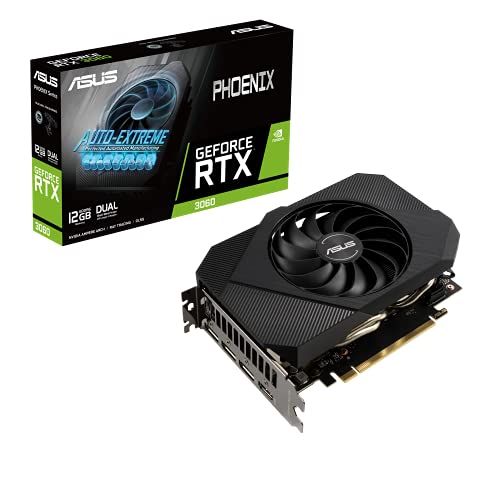
ASUS Phoenix GeForce RTX 3060 12GB
Best for: compact gaming builds requiring 12GB VRAM
- Use
- Gaming (what this guide is about)
- Graphics Processor
- GeForce RTX 3060
- Memory Size
- 12GB
- Memory Type
- GDDR6
- PCIe Interface
- PCIe 4.0
- Length
- 7 inches
The ASUS Phoenix GeForce RTX 3060 12GB is a compact graphics card designed for space-constrained gaming rigs. It pairs an NVIDIA GeForce RTX 3060 processor with 12GB of GDDR6 memory on a PCIe 4.0 interface. Measuring 7 inches long and weighing 12 ounces, this card suits you if you need modern HDMI and DisplayPort 1.4a outputs in a smaller PC case.
Pros
- 12GB GDDR6 memory capacity
- Compact 7-inch length and 12-ounce weight
- PCIe 4.0 interface support
- DisplayPort 1.4a and HDMI outputs
Cons
- Uses standard GDDR6 rather than faster GDDR6X
- 2-inch depth occupies multiple expansion slots
Good fit if
- You need a short 7-inch graphics card for a compact chassis.
- You want 12GB of VRAM for your gaming setup.
Skip if
- You require faster GDDR6X memory bandwidth.
- You need a card with more than 12GB of video memory.
Verdict: ASUS Phoenix GeForce RTX 3060 12GB delivers 12GB of GDDR6 memory in a compact 7-inch form factor for small gaming builds. It gives you standard PCIe 4.0 connectivity and DisplayPort 1.4a support without requiring extensive case depth.

MSI GeForce RTX 3060 Ventus 12GB
Best for: balanced 12GB gaming builds needing compact cooling
- Use
- Gaming (what this guide is about)
- Graphics Processor
- GeForce RTX 3060
- Memory Size
- 12GB
- Memory Type
- GDDR6
- Boost Clock
- 1807MHz
- Memory Bus Width
- 192-bit
The MSI GeForce RTX 3060 12GB Dual Fan is a mid-tier desktop graphics card built for gaming on PCIe 4.0 systems. It features an 1807MHz boost clock alongside 12GB of GDDR6 memory on a 192-bit bus. The dual TORX 3.0 fan design includes Zero Frozr technology to keep fans silent during lower loads. It suits you if you want ample video memory and three DisplayPort outputs in a 9.25-inch form factor.
Pros
- 12GB GDDR6 memory capacity on a 192-bit bus
- Dual TORX 3.0 fans with Zero Frozr silent mode
- Four display outputs including three DisplayPort and one HDMI 2.1
- Compact 9.25-inch length fits smaller enclosures
Cons
- 192-bit memory bus is narrower than higher-tier 256-bit cards
- Uses standard 15Gbps GDDR6 rather than faster GDDR6X
Good fit if
- You need 12GB of video memory for your games.
- You connect multiple monitors using DisplayPort and HDMI.
- You need a card under 10 inches in length for your case.
Skip if
- You require a wider memory bus width than 192-bit.
- You want higher-bandwidth GDDR6X memory.
Verdict: MSI GeForce RTX 3060 12GB Dual Fan delivers generous 12GB GDDR6 memory and an 1807MHz boost clock in a practical dual-fan size. It gives you capable cooling with Zero Frozr technology and versatile four-display output.

MSI GeForce RTX 3090 24GB
Best for: high-resolution gaming requiring 24GB GDDR6X memory
- Use
- Gaming (what this guide is about)
- Graphics Processor
- GeForce RTX 3090
- Memory Size
- 24GB
- Memory Type
- GDRR6X
- Memory Bus Width
- 384-Bit
- Dimensions
- 12 × 2.2 × 4.7 inches
The MSI GeForce RTX 3090 24GB Graphics Card provides top-tier hardware for your gaming setup. It features a massive 24GB of GDDR6X memory running on a wide 384-bit bus, giving you extensive memory bandwidth for heavy visual workloads. You get support for up to 7680 x 4320 digital resolution across four display outputs. This card suits you if you demand maximum video memory and ultra-high-resolution gaming output in a standard desktop chassis.
Pros
- 24GB of high-speed GDDR6X video memory
- Wide 384-bit memory interface
- Supports up to 7680 x 4320 digital resolution
- Four display outputs including three DisplayPort 1.4a and one HDMI 2.1
Cons
- 12-inch length requires a spacious PC case
- Only includes a single HDMI port
- 2.2-inch thickness occupies more than two standard slots
Good fit if
- You want 24GB of GDDR6X memory for heavy visual gaming workloads.
- You connect up to four monitors using DisplayPort 1.4a and HDMI 2.1.
- You have at least 12 inches of physical clearance inside your desktop case.
Skip if
- You use a compact chassis unable to fit a 12-inch card.
- You need more than one HDMI display connection.
Verdict: MSI GeForce RTX 3090 24GB Graphics Card delivers massive 24GB GDDR6X capacity and 7680 x 4320 digital output for extreme gaming setups. Its 12-inch footprint requires ample room, but it provides full 384-bit memory bandwidth.

Sapphire Pulse AMD Radeon RX 6600 8GB (Renewed)
Best for: 1080p gaming on renewed AMD hardware
- Use
- Gaming (what this guide is about)
- Graphics Processor
- Radeon RX 6600
- Memory Size
- 8GB
- Memory Type
- GDDR6
- Length
- 10.5 inches
- Width
- 6.5 inches
View on Amazon: Sapphire Pulse AMD Radeon RX 6600 8GB (Renewed)
This renewed Sapphire graphics card features the AMD Radeon RX 6600 processor paired with 8GB of GDDR6 memory. Built on AMD RDNA 2 architecture, it supports DirectX 12 Ultimate and hardware-accelerated ray tracing. It utilizes Sapphire Pulse cooling across a 10.5-inch footprint to manage thermals. This card suits you if you target 1080p gaming with modern visual effects in a renewed unit.
Pros
- 8GB GDDR6 video memory
- AMD RDNA 2 architecture with hardware ray tracing support
- Sapphire Pulse cooling system
- DirectX 12 Ultimate feature support
Cons
- Renewed hardware rather than factory-new unit
- 8GB memory capacity is lower than 12GB and 24GB alternatives
- Card length of 10.5 inches requires adequate case clearance
Good fit if
- You focus on 1080p gaming performance.
- You want an AMD RDNA 2 card with 8GB GDDR6 memory.
- You are comfortable buying a professionally renewed graphics card.
Skip if
- You require a brand-new, unrenewed graphics card.
- You need higher memory capacities such as 12GB or 24GB for heavier workloads.
Verdict: Sapphire Pulse AMD Radeon RX 6600 8GB (Renewed) delivers targeted 1080p performance with 8GB GDDR6 memory and RDNA 2 features. It provides dedicated cooling and modern DirectX 12 Ultimate support in an inspected renewed form factor.

XFX Speedster SWFT 210 Radeon RX 6600 8GB
Best for: compact AMD RDNA 2 gaming setups
- Use
- Gaming (what this guide is about)
- Graphics Processor
- Radeon RX 6600
- Memory Size
- 8GB
- Memory Type
- GDDR6
- Dimensions
- 9.49 × 5.16 × 1.61 inches
- Weight
- 2.2 pounds
The XFX Speedster SWFT 210 is a gaming graphics card built on AMD RDNA 2 architecture. It features a Radeon RX 6600 graphics processor paired with 8GB of GDDR6 memory. For displays, it includes one HDMI port and three DisplayPort outputs. Measuring 9.49 inches long and 1.61 inches high, it fits setups where space is limited. This card suits you if you need standard multi-monitor support and GDDR6 memory for gaming.
Pros
- AMD RDNA 2 architecture with Radeon RX 6600 GPU
- 8GB of GDDR6 memory
- Four total display outputs with one HDMI and three DisplayPorts
- Compact 9.49-inch length fits smaller PC cases
Cons
- 8GB memory capacity is lower than cards with 12GB or 24GB
- Limited to a single HDMI output
Good fit if
- You need three DisplayPort connections and one HDMI port for your display setup.
- You want an AMD RDNA 2 graphics card measuring under 10 inches in length.
- You are building a gaming PC requiring 8GB of GDDR6 memory.
Skip if
- You require more than 8GB of memory for your gaming setup.
- You need more than one HDMI display connection.
Verdict: XFX Speedster SWFT 210 Radeon RX 6600 8GB provides AMD RDNA 2 processing and four display connections in a 9.49-inch footprint. It suits gaming systems that do not need more than 8GB of GDDR6 memory.

Sapphire Pulse AMD Radeon RX 6600 XT 8GB
Best for: standard 8GB GDDR6 gaming builds
- Use
- Gaming (what this guide is about)
- Graphics Processor
- Radeon RX 6600 XT
- Memory Size
- 8GB
- Memory Type
- GDDR6
- Dimensions
- 11.3 × 6.5 × 3.5 inches
The Sapphire Pulse Radeon RX 6600 XT 8GB is a dedicated gaming graphics card built on AMD RDNA 2 architecture. It features 8GB of GDDR6 memory and a Radeon RX 6600 XT graphics processor to handle your gaming workloads. Measuring 11.3 inches long, 6.5 inches wide, and 3.5 inches high, it requires adequate case space. This card suits you if you need balanced GDDR6 memory capacity for your gaming PC.
Pros
- 8GB GDDR6 memory
- AMD RDNA 2 architecture
- Radeon RX 6600 XT graphics processor
Cons
- 11.3-inch length requires significant case clearance
- 3.5-inch height takes up multiple expansion slots
Good fit if
- You want an AMD RDNA 2 card with 8GB of GDDR6 memory.
- You have a PC chassis with over 11.3 inches of clearance.
Skip if
- You need more than 8GB of video memory for your applications.
- You have a small-form-factor case that cannot fit an 11.3-inch card.
Verdict: Sapphire Pulse Radeon RX 6600 XT 8GB delivers AMD RDNA 2 processing and 8GB of GDDR6 memory for gaming builds. It serves your setup well if your case accommodates its 11.3-inch length.

ASUS ROG Strix RTX 3080 OC 10GB
Best for: high-speed GDDR6X gaming in spacious PC cases
- Use
- Gaming (what this guide is about)
- Graphics Processor
- GeForce RTX 3080
- Memory Size
- 10GB
- Memory Type
- GDDR6X
- PCIe Interface
- PCIe 4.0
- Slot Width
- 2.9-Slot
The ASUS ROG Strix GeForce RTX 3080 10GB is a dedicated graphics card built for gaming. It features an NVIDIA GeForce RTX 3080 graphics processor, 10GB of GDDR6X memory, and a PCIe 4.0 connection. Its physical profile requires 2.9 motherboard slots and measures 12.5 inches long. This setup suits you if you need fast memory speeds for gaming and have enough chassis space to fit a thicker, longer card.
Pros
- GeForce RTX 3080 graphics processor
- 10GB high-speed GDDR6X memory
- PCIe 4.0 interface
Cons
- Thick 2.9-slot profile takes up extra motherboard expansion space
- 10GB memory pool provides less capacity than higher-tier cards
Good fit if
- You want GDDR6X memory for gaming performance.
- You have a PC case with space for a 2.9-slot, 12.5-inch graphics card.
- You use a system supporting the PCIe 4.0 interface.
Skip if
- You build inside a compact case that cannot clear 2.9 expansion slots.
- You need more than 10GB of video memory for your games.
Verdict: ASUS ROG Strix GeForce RTX 3080 10GB delivers fast GDDR6X memory and PCIe 4.0 bandwidth for demanding gaming setups. Its wide 2.9-slot footprint requires a roomy chassis with adequate internal clearance.

MSI Radeon RX 6600 XT MECH 2X 8GB
Best for: compact FreeSync gaming builds
- Use
- Gaming (what this guide is about)
- Graphics Processor
- Radeon RX 6600 XT
- Memory Size
- 8 GB
- Memory Type
- GDDR6
- Memory Bus Width
- 128-bit
- Length
- 8.5 inches
The MSI Radeon RX 6600 XT 8GB Graphics Card is a dedicated gaming card powered by the AMD Radeon RX 6600 XT graphics processor. It features 8 GB of GDDR6 memory across a 128-bit bus, dual Torx fans, and DisplayPort and HDMI outputs. At 8.5 inches long, it fits easily into standard PC cases. It suits you if you need VR-ready performance and tear-free gaming with AMD FreeSync.
Pros
- 8 GB GDDR6 video memory
- Dual Torx cooling fans
- AMD FreeSync tear-free display support
- Compact 8.5-inch physical length
Cons
- 128-bit memory bus width
- 8 GB memory capacity
Good fit if
- You have a PC chassis that requires a graphics card under 9 inches.
- You connect to an AMD FreeSync display.
- You need VR Ready hardware with DisplayPort and HDMI outputs.
Skip if
- You need more than 8 GB of video memory.
- You require a memory bus width wider than 128-bit.
Verdict: MSI Radeon RX 6600 XT 8GB Graphics Card offers 8 GB of GDDR6 memory and dual Torx fans inside an 8.5-inch frame. It is built for gamers who want FreeSync support and VR readiness in space-conscious desktop systems.

ZOTAC GeForce RTX 3060 Twin Edge 12GB
Best for: compact PC cases needing 12GB GDDR6 memory
- Use
- Gaming (what this guide is about)
- Graphics Processor
- GeForce RTX 3060
- Memory Size
- 12GB
- Memory Type
- GDDR6
- Memory Bus Width
- 192-bit
- PCIe Interface
- PCIe 4.0
The ZOTAC GeForce RTX 3060 Twin Edge 12GB is a dedicated graphics card built for gaming. It pairs a GeForce RTX 3060 graphics processor with 12GB of GDDR6 memory on a 192-bit bus. Running on a PCIe 4.0 interface, it transfers memory data at 15 Gbps. At 8.8 inches long, it suits you if your PC case requires a compact card while maintaining 12GB of memory for your games.
Pros
- 12GB of GDDR6 video memory
- 15 Gbps memory speed on a PCIe 4.0 interface
- Compact 8.8-inch card length
- IceStorm cooling system
Cons
- 192-bit memory bus is narrower than 256-bit alternatives
- Uses standard GDDR6 rather than GDDR6X memory
Good fit if
- You need 12GB of GDDR6 memory for gaming.
- You have a compact case that fits an 8.8-inch card.
- You use a motherboard with a PCIe 4.0 slot.
Skip if
- You require a wider 256-bit or 384-bit memory bus.
- You want higher-bandwidth GDDR6X memory.
Verdict: ZOTAC GeForce RTX 3060 Twin Edge 12GB delivers 12GB of GDDR6 memory and a PCIe 4.0 connection in a compact 8.8-inch package. It provides solid memory capacity for gaming systems that need a smaller card.
Specifications side by side
| Spec | EVGA GeForce RTX 3090 24GB | ZOTAC GeForce RTX 3070 Twin Edge OC 8GB | ASUS ROG Strix GeForce RTX 3090 24GB | MSI GeForce RTX 3060 Triple Fan 12GB | EVGA GeForce RTX 3060 XC Dual-Fan 12GB | ASUS TUF RTX 4070 Ti Super BTF White | ASUS Phoenix GeForce RTX 3060 12GB | MSI GeForce RTX 3060 Ventus 12GB | MSI GeForce RTX 3090 24GB | Sapphire Pulse AMD Radeon RX 6600 8GB (Renewed) | XFX Speedster SWFT 210 Radeon RX 6600 8GB | Sapphire Pulse AMD Radeon RX 6600 XT 8GB | ASUS ROG Strix RTX 3080 OC 10GB | MSI Radeon RX 6600 XT MECH 2X 8GB | ZOTAC GeForce RTX 3060 Twin Edge 12GB |
|---|---|---|---|---|---|---|---|---|---|---|---|---|---|---|---|
| Graphics Processor | GeForce RTX 3090 | GeForce RTX 3070 | GeForce RTX 3090 | GeForce RTX 3060 | GeForce RTX 3060 | GeForce RTX 4070 Ti Super | GeForce RTX 3060 | GeForce RTX 3060 | GeForce RTX 3090 | Radeon RX 6600 | Radeon RX 6600 | Radeon RX 6600 XT | GeForce RTX 3080 | Radeon RX 6600 XT | GeForce RTX 3060 |
| Memory Size | 24GB | 8GB | 24GB | 12GB | 12GB | 16GB | 12GB | 12GB | 24GB | 8GB | 8GB | 8GB | 10GB | 8 GB | 12GB |
| Memory Type | GDDR6X | GDDR6 | GDDR6X | GDDR6 | GDDR6 | GDDR6X | GDDR6 | GDDR6 | GDRR6X | GDDR6 | GDDR6 | GDDR6 | GDDR6X | GDDR6 | GDDR6 |
| Boost Clock | 1800MHz | 1755 MHz | not specified | 1807 MHz | 1882 Mhz | not specified | not specified | 1807MHz | not specified | not specified | not specified | not specified | not specified | not specified | not specified |
| Memory Bus Width | not specified | 256-bit | not specified | 192-Bit | not specified | not specified | not specified | 192-bit | 384-Bit | not specified | not specified | not specified | not specified | 128-bit | 192-bit |
| PCIe Interface | PCIe 4 | PCIE 4.0 | not specified | PCIe 4 | not specified | PCIe 4.0 | PCIe 4.0 | PCIe 4 | not specified | not specified | not specified | not specified | PCIe 4.0 | not specified | PCIe 4.0 |
| Slot Width | not specified | not specified | not specified | not specified | not specified | not specified | not specified | not specified | not specified | not specified | not specified | not specified | 2.9-Slot | not specified | not specified |
| Memory | 24GB | 8GB | 24GB | 12GB | 12GB | 16GB | 12GB | 12GB | not specified | 8GB | 8GB | 8GB | not specified | 8GB | 12GB |
| GPU | GeForce RTX 3090 | not specified | GeForce RTX 3090 | GeForce RTX 3060 | GeForce RTX 3060 | not specified | GeForce RTX 3060 | GeForce RTX 3060 | GeForce RTX 3090 | not specified | not specified | not specified | not specified | not specified | GeForce RTX 3060 |
| Interface | PCIe 4.0 | PCIe 4.0 | not specified | PCIe 4.0 | not specified | PCIe 4.0 | PCIe 4.0 | PCIe 4.0 | not specified | not specified | not specified | not specified | PCIe 4.0 | not specified | PCIe 4.0 |
| Use | Gaming | Gaming | Gaming | Gaming | Gaming | Gaming | Gaming | Gaming | Gaming | Gaming | Gaming | Gaming | Gaming | Gaming | Gaming |
| Dimensions | 11.8 × 5.38 × 0.1 inches | not specified | 31.9 × 14 × 57.8 inches | 12.4 × 1.7 × 4.7 inches | 7.94 × 1.54 × 4.33 inches | not specified | not specified | not specified | 12 × 2.2 × 4.7 inches | not specified | 9.49 × 5.16 × 1.61 inches | 11.3 × 6.5 × 3.5 inches | 16 × 9.2 × 3.5 inches | not specified | 8.8 × 4.6 × 1.5 inches |
| Weight | 2.5 pounds | not specified | 3.97 pounds | not specified | 12 ounces | 2.87 pounds | 12 ounces | 12 ounces | 2.5 pounds | 1.59 pounds | 2.2 pounds | not specified | 12 ounces | 1.59 pounds | not specified |
| Length | not specified | not specified | not specified | not specified | not specified | not specified | 7 inches | 9.25 inches | not specified | 10.5 inches | not specified | not specified | not specified | 8.5 inches | not specified |
| Width | not specified | not specified | not specified | not specified | not specified | not specified | 5 inches | 4.88 inches | not specified | 6.5 inches | not specified | not specified | not specified | 1.6 inches | not specified |
| Size | not specified | not specified | not specified | RTX | not specified | RTX4070Ti Super|OC|Only support BTF MB | 2"x5"x7" | RTX | not specified | not specified | not specified | not specified | 2.3"x5.5"x12.5" | not specified | not specified |
| Color | not specified | not specified | not specified | not specified | not specified | White | not specified | not specified | not specified | black | not specified | not specified | BLACK | not specified | not specified |
| Model | not specified | not specified | not specified | not specified | not specified | not specified | not specified | MSI GeForce RTX 3060 VENTUS 2X 12G OC | 3090 VEN 3X 24G OC-cr | not specified | not specified | not specified | not specified | not specified | not specified |
Is a Dedicated Gaming Graphics Card Worth It?
Dedicated gaming graphics cards provide discrete video memory ranging from 4GB GDDR6 to 24GB GDDR6X on memory buses up to 384 bits. These hardware configurations deliver boost clocks reaching 1882MHz, hardware ray tracing, and DirectX 12 Ultimate support. For daily operation, gaming models feature active dual-fan or triple-fan thermal assemblies with idle fan modes to manage heat under load. They also supply dedicated video ports, including HDMI 2.1 and DisplayPort 1.4a, capable of driving up to four monitors at resolutions up to 7680 x 4320.
Worth it if
- You run applications or titles requiring dedicated ray tracing hardware and DirectX 12 Ultimate support.
- You output to multiple displays or require digital resolutions up to 7680 x 4320 via HDMI 2.1 and DisplayPort.
- You need high-bandwidth VRAM configurations ranging from 8GB GDDR6 to 24GB GDDR6X.
Skip it if
- You only require standard desktop display output without dedicated GDDR6 or GDDR6X memory processing.
- You use a compact chassis that cannot fit multi-fan cooling assemblies or dedicated PCIe 4.0 expansion cards.
When you finish planning your graphics card upgrade, you can evaluate driver size and impedance specs among the best headphones for gaming.
How We Picked Gaming Cards
To build this 2026 guide, we selected graphics cards with Amazon listings that state gaming use in their title or feature list. We display only one size or variant per product family to help you review distinct options. Products are not physically handled; all details come directly from published specifications and feature lists.
These 15 products are ordered with available stock first, followed by Amazon sales rank so that better-selling models appear earlier. You can evaluate each option by comparing published specs like video memory size, memory type, interface connection, and overall dimensions. Product stock details refresh directly on the page at least daily.
How to Choose the Best Gaming Card
-
Assess Dedicated Video Memory
Video memory holds game textures, shaders, and frame buffers during play. The models on this list range from 4GB up to 24GB. An entry-level card like the MSI GeForce GTX 1650 4GB GDDR6 handles simpler gaming tasks without excess overhead. Modern titles with detailed assets require at least 8GB or 12GB to prevent asset stutter. For high-resolution texture packs, cards with 16GB or 24GB give you ample frame buffer headroom. Choose a capacity that accommodates the visual settings of your specific games.
-
Compare Memory Types
Look closely at whether a graphics card specifies GDDR6 or GDDR6X memory. GDDR6 provides reliable, efficient bandwidth for standard gaming workloads across mainstream configurations. GDDR6X delivers higher transfer speeds for memory-intensive rendering and complex environments. For instance, the ASUS ROG Strix RTX 3080 OC 10GB uses GDDR6X memory to accelerate data delivery to the processor. If your gaming demands rapid texture streaming at high settings, check the memory type specification to confirm you get the faster GDDR6X standard rather than base GDDR6.
-
Verify Motherboard System Compatibility
Check motherboard slot and layout requirements before selecting a card. Most gaming cards plug directly into standard PCIe slots using traditional external power cables. However, specialized hardware has strict host system requirements. The ASUS TUF RTX 4070 Ti Super BTF White explicitly requires a compatible BTF motherboard that supplies power through hidden underside connectors instead of standard top cables. If you have a traditional motherboard, a BTF card will not mount or power on properly. Always match the card form factor to your existing motherboard design.
-
Examine Memory Bus Width
Memory bus width dictates how much data travels between the GPU core and video memory in each clock cycle. A wider bus widens the data path to reduce memory bottlenecks during gameplay. Cards on this list feature various bus widths, reaching up to 384 bits on units such as the MSI GeForce RTX 3090 24GB. Narrower buses suit lower display resolutions, while a 256-bit or 384-bit bus provides the throughput necessary for higher graphic settings. Check the bus specification if you want seamless performance during data-heavy rendering stages.
-
Evaluate Boost Clock Speeds
The boost clock indicates the maximum target frequency the graphics processor reaches under active gaming loads. Higher clock frequencies process graphics calculations faster, producing smoother frame delivery. For example, the EVGA GeForce RTX 3060 XC Dual-Fan 12GB lists a boost clock of 1882 MHz, which represents the upper end among RTX 3060 options. Compare the boost clock values across models within the same GPU family to identify which factory tuning offers higher peak speeds. Prioritize higher boost numbers if you want greater raw compute rate.
-
Inspect Display Connection Standards
Look at the physical display output specifications to ensure the card works with your monitor cables. Modern gaming cards feature combinations of HDMI and DisplayPort outputs. For example, the ASUS Phoenix GeForce RTX 3060 12GB specifies DisplayPort 1.4a connectivity alongside standard HDMI. These output standards govern maximum refresh rates and display resolution bandwidth. Check the port versions on the graphics card against the inputs on your monitor. Confirming these ports ahead of time prevents display bandwidth restrictions and ensures you get proper multi-monitor support without adapters.
Frequently asked questions
What is a BTF graphics card and can you install it in any motherboard?
You cannot install a BTF graphics card in a standard motherboard. The ASUS TUF RTX 4070 Ti Super BTF White requires a compatible BTF motherboard design to function. BTF hardware routes power connectors through specialized motherboard slots instead of standard external cables. If your PC case and motherboard lack BTF support, this 16GB GDDR6X card will not fit or receive power.
Which graphics card provides the highest boost clock speed for gaming?
The EVGA GeForce RTX 3060 XC Dual-Fan 12GB provides the highest boost clock speed on this list at 1882 MHz. Higher clock speeds allow the graphics processor to compute game instructions faster during active rendering. For comparison, the MSI GeForce RTX 3060 Ventus reaches 1807 MHz, while the EVGA GeForce RTX 3090 reaches 1800 MHz. These speeds give you responsive performance across core processing tasks.
How many monitors can you connect to a modern gaming graphics card?
Most gaming cards support up to four independent displays simultaneously. Models like the ZOTAC GeForce RTX 3070 Twin Edge OC 8GB and the MSI GeForce RTX 3060 Ventus 12GB include HDMI 2.1 and DisplayPort connections to power multi-screen setups. This connectivity lets you output to multiple high-resolution panels, while cards like the MSI GeForce RTX 3090 support extreme digital resolutions up to 7680 x 4320.
What is the difference between GDDR6 and GDDR6X memory on graphics cards?
GDDR6X memory provides higher data transmission rates than standard GDDR6 memory. High-tier cards like the ASUS ROG Strix GeForce RTX 3090 24GB and ASUS ROG Strix RTX 3080 OC 10GB use GDDR6X to transfer asset files rapidly. Mainstream options like the Sapphire Pulse AMD Radeon RX 6600 XT 8GB use standard GDDR6, which consumes less power while supplying enough bandwidth for standard gaming workloads.
Why does memory bus width matter for gaming graphics cards?
Memory bus width determines the volume of data transferred between the GPU core and video memory per clock cycle. A wider interface moves data faster. The MSI GeForce RTX 3090 features a wide 384-bit bus, whereas cards like the ZOTAC GeForce RTX 3070 Twin Edge feature a 256-bit bus. Wider buses prevent bandwidth bottlenecks when you render high-detail game textures or run demanding graphic presets.
Can a compact gaming graphics card fit into small form factor PC builds?
Yes, several cards are engineered specifically with short physical lengths for small form factor cases. The ASUS Phoenix GeForce RTX 3060 12GB measures just 7 inches long, and the EVGA GeForce RTX 3060 XC measures 7.94 inches. These compact designs fit into tight chassis spaces without sacrificing full PCIe 4.0 motherboard compatibility or dedicated ray tracing capability. They allow you to assemble capable gaming rigs in smaller desktop cases.
What should you know about PCIe 4.0 compatibility on gaming graphics cards?
PCIe 4.0 graphics cards double the potential interface bandwidth compared to older PCIe 3.0 motherboards. Models including the ASUS Dual AMD Radeon RX 6600 XT 8GB and ZOTAC GeForce RTX 3060 Twin Edge use PCIe 4.0 interfaces to communicate with your system. They remain backward compatible with older PCIe slots, so you can install them into existing motherboards without connection issues, though bandwidth operates at the slower motherboard standard.