15 Best Graphics Cards with 24GB, Compared
As an Amazon Associate we earn from qualifying purchases. Links on this page are affiliate links.
Choosing a graphics card with 24GB provides your system with extensive memory bandwidth for heavy gaming and demanding workstation tasks. We compared 15 products based strictly on the specifications published on their official listings.
The EVGA GeForce RTX 3090 24GB takes the top spot because it combines 10,496 CUDA cores and an 1800MHz boost clock with fast GDDR6X memory on a PCIe 4.0 interface. This guide helps you decide which card fits your case clearance, display setups, and specific workflow needs.
Quick picks
The best fit for you
- You need high-resolution gaming powered by fast GDDR6X memory EVGA GeForce RTX 3090 24GB You get 10,496 CUDA cores, an 1800MHz boost clock, and 24GB of GDDR6X memory.
- You need professional workstation computing with error-correcting memory PNY NVIDIA RTX A5500 24GB You get 24GB of ECC GDDR6 memory and 10,240 CUDA cores in a dual-slot footprint.
- You want 4K gaming compatible with DisplayPort 2.1 displays ASRock Radeon RX 7900 XTX Phantom Gaming 24GB DisplayPort 2.1 connectors pair with 24GB of GDDR6 memory for high-resolution displays.
- You are assembling a white or silver themed PC Gigabyte GeForce RTX 4090 Aero OC 24GB The white and silver frame houses 24GB of GDDR6X memory across a 384-bit interface.
Our 15 picks

EVGA GeForce RTX 3090 24GB
Best for: high-resolution gaming requiring 24GB GDDR6X memory
- Memory
- 24GB
- Graphics Processor
- GeForce RTX 3090
- Memory Size
- 24GB
- Memory Type
- GDDR6X
- Boost Clock
- 1800MHz
- PCIe Interface
- PCIe 4
The EVGA GeForce RTX 3090 24GB is a gaming graphics card built for PCIe 4.0 systems. It pairs 24GB of GDDR6X memory with 10,496 CUDA cores and an 1800MHz boost clock. Three fans provide cooling across an 11.81-inch card length, accompanied by ARGB LED lighting. This card suits you if you run gaming workloads that require high memory capacity and fast GDDR6X bandwidth on a desktop motherboard.
Pros
- 24GB of GDDR6X memory
- 1800MHz boost clock with 10,496 CUDA cores
- Triple-fan cooling design
- PCIe 4.0 interface support
Cons
- Length of 11.81 inches requires substantial case clearance
- Display output port types are not specified in the data
Good fit if
- You need 24GB of fast GDDR6X memory for heavy gaming workloads.
- You want an 1800MHz boost clock and 10,496 CUDA cores on a PCIe 4.0 interface.
- You have a PC case that can accommodate an 11.81-inch long card.
Skip if
- You have a compact desktop chassis that cannot fit an 11.81-inch card.
- You require verified display connector types before purchasing.
Verdict: EVGA GeForce RTX 3090 24GB delivers 10,496 CUDA cores and an 1800MHz boost clock paired with 24GB GDDR6X memory. It is a solid PCIe 4.0 option for high-end gaming setups with enough space for its triple-fan frame.

ASUS ROG Strix GeForce RTX 3090 24GB
Best for: 24GB GDDR6X high-demand gaming builds
- Memory
- 24GB
- Graphics Processor
- GeForce RTX 3090
- Memory Size
- 24GB
- Memory Type
- GDDR6X
- Use
- Gaming
- Dimensions
- 31.9 × 14 × 57.8 inches
The ASUS ROG Strix RTX 3090 OC 24GB gives you a GeForce RTX 3090 GPU paired with 24GB of high-speed GDDR6X memory for gaming. It uses Axial-tech fans to provide targeted cooling across the board. If you need 24GB of GDDR6X VRAM for demanding gaming setups and have ample space for a nearly 4-pound card, this model fits your build.
Pros
- 24GB of high-speed GDDR6X memory
- Nvidia GeForce RTX 3090 GPU
- Axial-tech fan cooling setup
- Factory OC Edition configuration
Cons
- Heavy unit weight of nearly 4 pounds (3.97 lbs)
- Power supply wattage requirements are not specified in the data
Good fit if
- You need 24GB of GDDR6X memory specifically for gaming.
- You want a GeForce RTX 3090 with Axial-tech fan cooling.
- You have a PC chassis that supports a card weighing nearly 4 pounds.
Skip if
- You require specific port configurations that are omitted from the specifications.
- You need a lightweight graphics card for a compact PC build.
Verdict: ASUS ROG Strix RTX 3090 OC 24GB delivers 24GB of GDDR6X memory and Axial-tech cooling for gaming systems. It is a solid choice if your case accommodates its nearly 4-pound weight.

ZOTAC Gaming GeForce RTX 3090 24GB
Best for: spacious gaming builds needing 24GB VRAM
- Memory
- 24GB
- Graphics Processor
- GeForce RTX 3090
- Memory Size
- 24GB
- Memory Type
- GDDR6X
- Memory Bus Width
- 384-bit
- PCIe Interface
- PCIE 4.0
The ZOTAC Gaming GeForce RTX 3090 Trinity OC gives you 24GB of GDDR6X memory running on a 384-bit bus at 19.5 Gbps. Built for gaming on a PCIe 4.0 interface, it features IceStorm cooling and measures 16.75 inches long by 11.5 inches wide. This card fits your needs if you require massive VRAM capacity for demanding gaming setups and have a PC case with substantial clearance for its large physical dimensions.
Pros
- 24GB of GDDR6X memory
- 384-bit memory bus running at 19.5 Gbps
- PCIe 4.0 interface support
- IceStorm cooling system
Cons
- Large 16.75-inch length requires a very spacious case
- Wide 11.5-inch profile requires significant chassis depth
Good fit if
- You need 24GB of high-speed GDDR6X memory for demanding gaming loads.
- You have a computer case with clearance for a 16.75-inch graphics card.
- You run a motherboard supporting the PCIe 4.0 interface.
Skip if
- You have a compact PC case unable to accommodate a 16.75-inch card.
- You do not require 24GB of dedicated video memory for your gaming.
Verdict: ZOTAC GeForce RTX 3090 Trinity OC 24GB delivers high-bandwidth GDDR6X memory and PCIe 4.0 connectivity for memory-heavy gaming. Its large physical footprint requires verifying case clearance before installation.
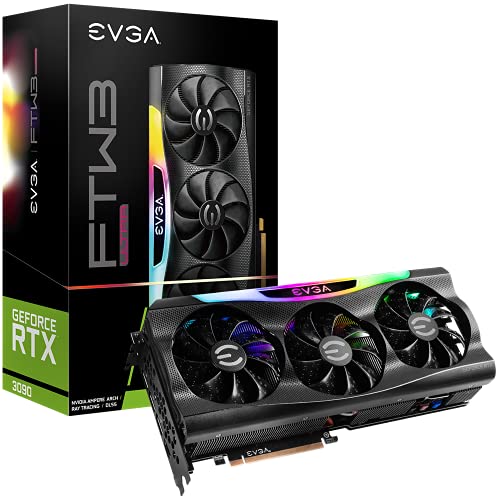
EVGA GeForce RTX 3090 FTW3 24GB
Best for: high-resolution gaming demanding 24GB GDDR6X memory
- Memory
- 24GB
- Graphics Processor
- GeForce RTX 3090
- Memory Size
- 24GB
- Memory Type
- GDDR6X
- Boost Clock
- 1800 MHz
- Use
- Gaming
The EVGA GeForce RTX 3090 FTW3 24GB is a gaming graphics card equipped with 24GB of GDDR6X memory and an 1800 MHz boost clock. It features triple HDB fans with nine iCX3 thermal sensors, an all-metal backplate, and support for up to 7680 x 4320 resolution. If you need extensive video memory for high-resolution gaming, ray tracing workloads, or dense textures, this card delivers the necessary capacity and cooling.
Pros
- 24GB of high-speed GDDR6X memory
- 1800 MHz boost clock frequency
- Triple HDB fans with 9 iCX3 thermal sensors
- Supports digital resolutions up to 7680 x 4320
- All-metal backplate and adjustable ARGB lighting
Cons
- Large card footprint measuring 15.1 inches long
- Heavy construction at 4.65 pounds
Good fit if
- You need 24GB of GDDR6X memory for high-resolution gaming or ray tracing.
- You want an 1800 MHz boost clock paired with a triple-fan cooling system.
- You have an enclosure that accommodates a 15.1-inch, 4.65-pound graphics card.
Skip if
- You have a compact PC case that cannot fit a card over 15 inches in length.
- You do not require 24GB of GDDR6X memory for your target display setup.
Verdict: EVGA GeForce RTX 3090 FTW3 24GB delivers 24GB of GDDR6X memory and an 1800 MHz boost clock backed by triple-fan cooling. It provides the hardware specifications you need for demanding 7680 x 4320 gaming setups.

ZOTAC Gaming GeForce RTX 3090 Trinity OC 24GB
Best for: high-resolution multi-display setups needing 24GB VRAM
- Memory
- 24GB
- Graphics Processor
- GeForce RTX 3090
- Memory Size
- 24GB
- Memory Type
- GDDR6X
- Boost Clock
- 1710 MHz
- Memory Bus Width
- 384-bit
View on Amazon: ZOTAC Gaming GeForce RTX 3090 Trinity OC 24GB
The ZOTAC Gaming GeForce RTX 3090 Trinity OC gives you 24GB of GDDR6X memory on a 384-bit bus with a 1710 MHz boost clock. Built on NVIDIA Ampere architecture with PCIe 4.0, it supports quad displays up to 7680x4320 resolution through three DisplayPort 1.4a ports and one HDMI 2.1 port. It suits you if you need massive memory bandwidth alongside IceStorm 2.0 triple-fan cooling.
Pros
- 24GB 384-bit GDDR6X memory operating at 19.5 Gbps
- Quad-display capability via 3 DisplayPort 1.4a and 1 HDMI 2.1 outputs
- IceStorm 2.0 cooling system with FREEZE fan stop feature
- 1710 MHz boost clock with metal frontplate and lighted backplate
Cons
- Consumes 350W of power and requires a 750W system power supply
- Requires 12.5 inches of length and 2.5 expansion slots in your case
Good fit if
- You need 24GB of high-speed GDDR6X memory for 8K resolution displays.
- You run up to four monitors using DisplayPort 1.4a and HDMI 2.1 connections.
- You have at least 12.5 inches of case clearance and a 750W power supply.
Skip if
- You use a compact PC chassis that cannot accommodate a 12.5-inch, 2.5-slot card.
- You have a power supply unit rated below the recommended 750W.
Verdict: ZOTAC Gaming GeForce RTX 3090 Trinity OC 24GB delivers massive 24GB GDDR6X memory and 8K display capability across a 2.5-slot footprint. It offers robust IceStorm 2.0 thermal management for demanding graphical setups.

PNY NVIDIA RTX A5000 24GB
Best for: workstation compute tasks requiring ECC memory
- Memory
- 24GB
- Graphics Processor
- NVIDIA RTX A5000
- Memory Size
- 24 GB
- Memory Type
- GDDR6 with ECC
- PCIe Interface
- PCI-Express 4.0 x16
- Slot Width
- Dual Slot
The PNY NVIDIA RTX A5000 24GB is a dual-slot professional card built for compute and workstation workloads. You get 24GB of GDDR6 memory equipped with ECC, paired with 8,192 CUDA cores across a PCIe 4.0 x16 interface. It measures 10.5 inches long and features three DisplayPort outputs alongside an included DisplayPort to HDMI adapter. This card suits you if your projects require workstation-grade ECC memory stability in a standard dual-slot profile.
Pros
- 24GB GDDR6 memory with ECC data integrity
- 8,192 CUDA cores on PCIe 4.0 x16 interface
- Compact dual-slot design at 10.5 inches in length
- Includes DisplayPort to HDMI adapter in the box
Cons
- Uses standard GDDR6 rather than GDDR6X memory
- Lacks a native HDMI port directly on the card bracket
Good fit if
- You require error-correcting ECC memory for critical workstation computing tasks.
- You need a dual-slot card that fits cases with 10.5 inches of clearance.
Skip if
- You prefer higher-bandwidth GDDR6X memory.
- You want native HDMI connections without using display adapters.
Verdict: PNY NVIDIA RTX A5000 24GB delivers workstation reliability with 24GB of ECC memory in a dual-slot form factor. It gives you stable compute performance and multi-display output for demanding professional tasks.

PNY NVIDIA RTX A5500 24GB
Best for: professional workstation computing and ECC workflows
- Memory
- 24GB
- Graphics Processor
- NVIDIA RTX A5500
- Memory Size
- 24GB
- Memory Type
- GDDR6 ECC
- PCIe Interface
- PCI-Express 4.0 x16
- Slot Width
- Dual Slot
The PNY NVIDIA RTX A5500 24GB is a dual-slot professional workstation graphics card built on PCIe 4.0 x16. It gives you 24GB of GDDR6 memory with error-correcting code (ECC) support and 10,240 CUDA cores for heavy computation tasks. With four DisplayPort outputs supporting 8K resolution, this card suits you if you run memory-intensive professional design, rendering, or data workloads that require high data integrity.
Pros
- 24GB GDDR6 memory with ECC support
- 10,240 CUDA cores for compute workloads
- Four DisplayPort outputs with 8K resolution support
- Dual-slot form factor for workstation chassis clearance
Cons
- Uses GDDR6 memory rather than higher-bandwidth GDDR6X
- Lacks native HDMI ports on the card bracket
Good fit if
- You need 24GB of ECC memory for mission-critical data precision.
- You run multi-monitor workstation setups requiring up to four 8K displays.
- You need a dual-slot card powered by 10,240 CUDA cores.
Skip if
- You prefer higher-speed GDDR6X memory found in consumer flagship cards.
- You require native HDMI display connections without using an adapter.
Verdict: PNY NVIDIA RTX A5500 24GB delivers workstation-grade reliability with 10,240 CUDA cores and 24GB of ECC memory across a dual-slot footprint. It provides stable performance for compute tasks and multi-display 8K environments.

ZOTAC GeForce RTX 3090 Ti 24GB
Best for: high-bandwidth 24GB 8K and VR gaming
- Memory
- 24GB
- Graphics Processor
- GeForce RTX 3090 Ti
- Memory Size
- 24GB
- Memory Type
- GDDR6X
- Boost Clock
- 1890 MHz
- Memory Bus Width
- 384-bit
The ZOTAC GeForce RTX 3090 Ti 24GB is a high-memory graphics card built on NVIDIA Ampere architecture. You get 24GB of 384-bit GDDR6X memory running at 21 Gbps, along with an 1890 MHz boost clock and PCIe 4.0 connectivity. It suits you if you need massive video memory for 8K gaming, multi-display setups, or VR workloads across four displays.
Pros
- 24GB 384-bit GDDR6X memory clocked at 21 Gbps
- 1890 MHz boost clock with dual BIOS support
- IceStorm 2.0 cooling system with three 100mm fans and fan stop
- Bundled GPU support bracket included
Cons
- Long card length at 14.01 inches requires a large chassis
- Limited to one HDMI 2.1 port alongside three DisplayPort outputs
Good fit if
- You need 24GB of high-speed 21 Gbps GDDR6X memory for heavy gaming workloads.
- You run up to four displays using DisplayPort 1.4a and HDMI 2.1.
- You have a spacious PC case that clears a 14.01-inch graphics card.
Skip if
- You have a compact case with clearance under 14 inches.
- You need more than one native HDMI 2.1 port.
Verdict: ZOTAC GeForce RTX 3090 Ti 24GB delivers high-speed GDDR6X memory bandwidth and an 1890 MHz boost clock for multi-display and 8K setups. It provides comprehensive cooling and support hardware if your chassis accommodates its 14-inch footprint.

MSI RTX 4090 Gaming X Trio 24GB
Best for: High-resolution gaming in large desktop cases
- Memory
- 24GB
- Graphics Processor
- GeForce RTX 4090
- Memory Size
- 24GB
- Memory Type
- GDDR6X
- Boost Clock
- 2595 MHz
- Memory Bus Width
- 384-bit
This MSI card equips your setup with 24GB of GDDR6X video memory running on a 384-bit bus. Designed for intensive gaming builds, it features a 2595 MHz core clock and uses a PCIe Gen 4 interface. At roughly 12.6 inches long with the TRI FROZR 3 cooling setup, it suits you if you have a large case and need fast frame rendering.
Pros
- 24GB GDDR6X memory on a 384-bit bus
- 2595 MHz clock frequency
- TRI FROZR 3 cooling with TORX FAN 5.0
- Copper baseplate with precision-machined Core Pipes
Cons
- 12.6-inch length requires substantial case clearance
- Large footprint restricts use in small-form-factor builds
Good fit if
- You need 24GB of GDDR6X memory for demanding gaming setups.
- You have a desktop chassis with more than 12.6 inches of clearance.
- You want a 2595 MHz clock speed with a 384-bit bus.
Skip if
- You assemble your system in a compact or mini-ITX enclosure.
- You need a graphics card that fits standard short-depth cases.
Verdict: MSI RTX 4090 Gaming X Trio 24GB pairs 24GB GDDR6X memory with a 2595 MHz clock speed and TRI FROZR 3 cooling. It offers high memory bandwidth for desktop builds that have room for a 12.6-inch card.

MSI GeForce RTX 4090 SUPRIM Liquid X
Best for: high-end gaming with 24GB GDDR6X memory
- Memory
- 24GB
- Graphics Processor
- GeForce RTX 4090
- Memory Size
- 24GB
- Memory Type
- GDDR6X
- Boost Clock
- 2625 MHz
- Memory Bus Width
- 384-bit
The MSI GeForce RTX 4090 SUPRIM Liquid X is a gaming graphics card built on NVIDIA's Ada Lovelace architecture. It provides 24GB of GDDR6X memory and operates at a 2625 MHz clock speed over a PCI Express Gen 4 interface. This card suits you if you require high memory capacity and fast GDDR6X bandwidth for gaming, provided your system supports modern PCIe Gen 4 hardware.
Pros
- 24GB of high-speed GDDR6X memory
- 2625 MHz operating clock speed
- NVIDIA Ada Lovelace GPU architecture
- PCI Express Gen 4 support
Cons
- Display output types and port counts are not specified
- Power supply wattage requirements are not listed in the specifications
Good fit if
- You need 24GB of GDDR6X video memory for gaming workloads.
- You want a GeForce RTX 4090 card running at 2625 MHz.
- You have a motherboard with a PCI Express Gen 4 slot.
Skip if
- You need confirmed counts for DisplayPort or HDMI outputs before purchasing.
- You require detailed power supply and power cable connector specifications.
Verdict: MSI GeForce RTX 4090 SUPRIM Liquid X delivers 24GB of GDDR6X memory and a 2625 MHz clock speed on the Ada Lovelace architecture. It is built for gaming systems equipped with PCI Express Gen 4 support.

ASUS ROG Strix GeForce RTX 4090 24GB
Best for: gaming setups requiring 24GB GDDR6X memory
- Memory
- 24GB
- Graphics Processor
- GeForce RTX 4090
- Memory Size
- 24GB
- Memory Type
- GDDR6X
- PCIe Interface
- PCIe 4.0
- Use
- Gaming
This graphics card equips your setup with 24GB of GDDR6X memory operating on a PCIe 4.0 interface. Built with the GeForce RTX 4090 GPU, the card includes a patented vapor chamber, scaled-up Axial-tech fans, and 4th Generation Tensor Cores. It suits you if you run memory-heavy gaming workloads that require substantial cooling hardware, high throughput, and support for HDMI 2.1a video connections.
Pros
- 24GB of high-speed GDDR6X memory
- Patented vapor chamber with milled heatspreader
- Axial-tech fans scaled up for 23% more airflow
- 4th Generation Tensor Cores and 3rd Generation RT Cores
Cons
- Large physical footprint measuring 14.1 inches long and 2.8 inches thick
- Heavy weight of 8.05 pounds requires sturdy chassis support
Good fit if
- You need 24GB of GDDR6X memory for demanding gaming applications.
- You have a PC chassis with clearance for a 14.1-inch card length.
- You want vapor chamber cooling combined with high-airflow Axial-tech fans.
Skip if
- You have a compact enclosure that cannot clear 5.9 inches of width and 14.1 inches of length.
- You lack structural chassis support for an 8.05-pound component.
Verdict: ASUS ROG Strix GeForce RTX 4090 24GB delivers 24GB of GDDR6X memory alongside a specialized vapor chamber cooling design. Its 14.1-inch length and 8.05-pound weight require an expansive PC case with adequate physical clearance.

Sapphire Pulse Radeon RX 7900 XTX 24GB
Best for: high-capacity 24GB PC gaming setups
- Memory
- 24GB
- Graphics Processor
- Radeon RX 7900 XTX
- Memory Size
- 24GB
- Memory Type
- GDDR6
- Use
- Gaming
The Sapphire Pulse Radeon RX 7900 XTX brings 24GB of dedicated memory to your setup, built specifically for gaming. It uses GDDR6 memory to handle high-resolution visual assets and demanding game textures. If you need a high-capacity graphics card designed for gaming workloads rather than professional workstation tasks, this board provides the 24GB frame buffer you require for modern titles.
Pros
- 24GB total memory capacity
- GDDR6 memory configuration
- Tailored for gaming applications
Cons
- Uses GDDR6 rather than GDDR6X memory
- Clock speeds and power requirements not listed in product data
Good fit if
- You want a dedicated gaming graphics card with 24GB of GDDR6 memory.
- You need a large memory buffer for graphics-intensive gaming.
Skip if
- You require GDDR6X memory for your setup.
- You need a card designated for certified professional workstation environments.
Verdict: Sapphire Pulse Radeon RX 7900 XTX 24GB delivers a large 24GB GDDR6 memory buffer engineered for high-demand gaming. It gives you the necessary memory capacity for heavy gaming workloads without enterprise workstation features.

ASRock Radeon RX 7900 XTX Phantom Gaming 24GB
Best for: 4K gaming with DisplayPort 2.1 displays
- Memory
- 24GB
- Graphics Processor
- AMD Radeon RX 7900 XTX
- Memory Size
- 24GB
- Memory Type
- GDDR6
- Boost Clock
- 2615 MHz
- Memory Bus Width
- 384-bit
View on Amazon: ASRock Radeon RX 7900 XTX Phantom Gaming 24GB
This ASRock graphics card features 24GB of GDDR6 memory on a 384-bit bus, paired with a 2615 MHz boost clock and 96 compute units. It includes three DisplayPort 2.1 ports and one HDMI 2.1 port, cooled by a triple-fan setup with 0dB silent operation. It suits you if you need high-capacity VRAM and modern display connections for 4K gaming or heavy content creation setups.
Pros
- 24GB GDDR6 memory on a wide 384-bit bus
- Three DisplayPort 2.1 connections and one HDMI 2.1 port
- 2615 MHz boost clock across 96 compute units
- 0dB silent mode stops fans during low-load tasks
Cons
- Long 12.99-inch profile requires significant case clearance
- Limited to a single HDMI 2.1 output
Good fit if
- You want 24GB VRAM and DisplayPort 2.1 support for high-refresh 4K gaming.
- You have a computer case that accommodates a 12.99-inch graphics card.
Skip if
- You need multiple HDMI displays connected simultaneously.
- You have a compact enclosure that cannot fit cards over 12 inches.
Verdict: ASRock Radeon RX 7900 XTX Phantom Gaming 24GB provides 24GB of memory and modern DisplayPort 2.1 outputs for demanding 4K workloads. Its 12.99-inch length requires a spacious chassis, but the triple-fan cooler ensures low noise during operation.

Gigabyte GeForce RTX 4090 Aero OC 24GB
Best for: white-themed builds needing 24GB GDDR6X memory
- Memory
- 24GB
- Graphics Processor
- GeForce RTX 4090
- Memory Size
- 24GB
- Memory Type
- GDDR6X
- Boost Clock
- 2535MHz
- Memory Bus Width
- 384-bit
The Gigabyte GeForce RTX 4090 Aero OC 24GB is an Ada Lovelace graphics card designed for memory-intensive rendering and gaming. You get 24GB of GDDR6X memory across a 384-bit interface, paired with a 2535MHz clock and 21000MHz memory frequency. It links to your motherboard through PCI Express 4.0 and provides fourth-generation Tensor cores. This card suits you if you require high VRAM capacity within a white or silver PC setup.
Pros
- 24GB GDDR6X memory on a 384-bit interface
- 2535MHz clock frequency and 21000MHz memory speed
- Ada Lovelace architecture with 4th Gen Tensor and 3rd Gen RT cores
- PCI Express 4.0 interface support
Cons
- Physical card dimensions are unlisted in published specifications
- Color scheme is limited to white and silver
- Display output configurations are omitted from the data
Good fit if
- You need 24GB of GDDR6X memory for memory-intensive workloads.
- You are assembling a white or silver PC build.
- You run a motherboard equipped with PCI Express 4.0.
Skip if
- You need verified physical card dimensions prior to case installation.
- You require an all-black GPU finish for your system.
Verdict: Gigabyte GeForce RTX 4090 Aero OC 24GB delivers Ada Lovelace architecture with 24GB of GDDR6X memory across a 384-bit interface. It is a capable option if your build requires high memory bandwidth in a white or silver finish.

NVIDIA Quadro RTX 6000 24GB GPU
Best for: workstation setups needing 24GB GDDR6 memory
- Memory
- 24GB
- Graphics Processor
- Quadro RTX-6000
- Memory Size
- 24GB
- Memory Type
- GDDR6
- Use
- Workstation
The NVIDIA Quadro RTX 6000 24GB GPU is a dedicated workstation graphics card. It features 24GB of GDDR6 memory to fit large workloads into local video memory. The hardware includes an active cooling system to move air across the components during operation. If you require a graphics card built specifically for workstation use with 24GB of GDDR6 memory, this model supplies those exact hardware specifications for your setup.
Pros
- 24GB memory capacity
- GDDR6 memory type
- Active cooling system
- Dedicated workstation design
Cons
- Uses standard GDDR6 rather than faster GDDR6X
- Targeted for workstation environments rather than consumer gaming
Good fit if
- You need a dedicated workstation graphics card.
- You require 24GB of GDDR6 memory for your workloads.
- You want a GPU with an active cooling design.
Skip if
- You prefer consumer graphics cards built for gaming.
- You require GDDR6X memory specifications.
Verdict: NVIDIA Quadro RTX 6000 24GB GPU delivers 24GB of GDDR6 memory with active cooling for professional installations. It serves as a specialized option when your build demands hardware specified for workstation use.
Specifications side by side
| Spec | EVGA GeForce RTX 3090 24GB | ASUS ROG Strix GeForce RTX 3090 24GB | ZOTAC Gaming GeForce RTX 3090 24GB | EVGA GeForce RTX 3090 FTW3 24GB | ZOTAC Gaming GeForce RTX 3090 Trinity OC 24GB | PNY NVIDIA RTX A5000 24GB | PNY NVIDIA RTX A5500 24GB | ZOTAC GeForce RTX 3090 Ti 24GB | MSI RTX 4090 Gaming X Trio 24GB | MSI GeForce RTX 4090 SUPRIM Liquid X | ASUS ROG Strix GeForce RTX 4090 24GB | Sapphire Pulse Radeon RX 7900 XTX 24GB | ASRock Radeon RX 7900 XTX Phantom Gaming 24GB | Gigabyte GeForce RTX 4090 Aero OC 24GB | NVIDIA Quadro RTX 6000 24GB GPU |
|---|---|---|---|---|---|---|---|---|---|---|---|---|---|---|---|
| Graphics Processor | GeForce RTX 3090 | GeForce RTX 3090 | GeForce RTX 3090 | GeForce RTX 3090 | GeForce RTX 3090 | NVIDIA RTX A5000 | NVIDIA RTX A5500 | GeForce RTX 3090 Ti | GeForce RTX 4090 | GeForce RTX 4090 | GeForce RTX 4090 | Radeon RX 7900 XTX | AMD Radeon RX 7900 XTX | GeForce RTX 4090 | Quadro RTX-6000 |
| Memory Size | 24GB | 24GB | 24GB | 24GB | 24GB | 24 GB | 24GB | 24GB | 24GB | 24GB | 24GB | 24GB | 24GB | 24GB | 24GB |
| Memory Type | GDDR6X | GDDR6X | GDDR6X | GDDR6X | GDDR6X | GDDR6 with ECC | GDDR6 ECC | GDDR6X | GDDR6X | GDDR6X | GDDR6X | GDDR6 | GDDR6 | GDDR6X | GDDR6 |
| Boost Clock | 1800MHz | not specified | not specified | 1800 MHz | 1710 MHz | not specified | not specified | 1890 MHz | 2595 MHz | 2625 MHz | not specified | not specified | 2615 MHz | 2535MHz | not specified |
| Memory Bus Width | not specified | not specified | 384-bit | not specified | 384-bit | not specified | not specified | 384-bit | 384-bit | 384-bit | not specified | not specified | 384-bit | 384-bit | not specified |
| PCIe Interface | PCIe 4 | not specified | PCIE 4.0 | not specified | PCIE 4.0 | PCI-Express 4.0 x16 | PCI-Express 4.0 x16 | PCIE 4.0 | PCI Express Gen 4 | PCI Express Gen 4 | PCIe 4.0 | not specified | not specified | PCI Express 4.0 | not specified |
| Recommended PSU | not specified | not specified | not specified | not specified | 750W | not specified | not specified | not specified | not specified | not specified | not specified | not specified | 800W | not specified | not specified |
| Slot Width | not specified | not specified | not specified | not specified | 2.5 slot | Dual Slot | Dual Slot | not specified | not specified | not specified | not specified | not specified | not specified | not specified | not specified |
| Memory | 24GB | 24GB | 24GB | 24GB | 24GB | 24GB | 24GB | 24GB | 24GB | 24GB | 24GB | 24GB | 24GB | 24GB | 24GB |
| GPU | GeForce RTX 3090 | GeForce RTX 3090 | GeForce RTX 3090 | GeForce RTX 3090 | not specified | not specified | not specified | not specified | GeForce RTX 4090 | GeForce RTX 4090 | GeForce RTX 4090 | not specified | not specified | GeForce RTX 4090 | not specified |
| Interface | PCIe 4.0 | not specified | PCIe 4.0 | not specified | PCIe 4.0 | not specified | not specified | PCIe 4.0 | not specified | not specified | PCIe 4.0 | not specified | not specified | not specified | not specified |
| Use | Gaming | Gaming | Gaming | Gaming | Gaming | not specified | not specified | Gaming | Gaming | Gaming | Gaming | Gaming | Gaming | not specified | Workstation |
| Dimensions | 11.8 × 5.38 × 0.1 inches | 31.9 × 14 × 57.8 inches | 16.8 × 11.5 × 4 inches | 15.1 × 12 × 5 inches | 12.5 × 4.75 × 2.28 inches | not specified | not specified | not specified | 12.6 × 4.33 × 0.1 inches | 3.15 × 1.18 × 0.39 inches | 14.1 × 5.9 × 2.8 inches | not specified | 13 × 2.28 × 0.1 inches | not specified | not specified |
| Weight | 2.5 pounds | 3.97 pounds | not specified | 4.65 pounds | not specified | 1.76 pounds | 2.65 pounds | not specified | not specified | 1.62 ounces | 8.05 pounds | not specified | 3.42 pounds | 2.2 pounds | not specified |
| Length | not specified | not specified | not specified | not specified | not specified | 10.5 inches | not specified | 14 inches | not specified | not specified | not specified | not specified | not specified | not specified | not specified |
| Height | not specified | not specified | not specified | not specified | not specified | 4.4 inches | not specified | not specified | not specified | not specified | not specified | not specified | not specified | not specified | not specified |
| Width | not specified | not specified | not specified | not specified | not specified | not specified | not specified | 5.89 inches | not specified | not specified | not specified | not specified | not specified | not specified | not specified |
| Size | not specified | not specified | not specified | one_SIZE | not specified | not specified | not specified | not specified | Large | not specified | ROG Strix | not specified | not specified | not specified | not specified |
| Color | not specified | not specified | not specified | one_color | not specified | Black | keine | Cool Grey | Black | Black | ROG-STRIX-RTX4090-O24G-GAMING | not specified | Black | White/Silver | not specified |
| Model | not specified | not specified | not specified | 24G-P5-3987-KR | ZT-A30900J-10P | VCNRTXA5000-PB | 13659239000 | ZT-A30910B-10P | V510-006R | V510-007R | ROG-STRIX-RTX4090-O24G-GAMING | 11322-02-20G | RX7900XTX PG 24GO | VCG-N4090AEROOC24GD | not specified |
Is a 24GB Graphics Card Worth It?
A 24GB memory capacity changes how your system handles extreme display configurations and memory-intensive workflows. In gaming builds, this hardware buffer supports 7680 x 4320 resolutions, multi-display outputs, and VR setups without overflowing video memory. For compute setups, cards with 24GB accommodate dense data sets and workstation applications. While lower memory pools handle standard resolutions, 24GB provides the physical headroom required for DisplayPort 2.1 4K gaming, native 8K output, and specialized compute tasks that depend on unconstrained frame buffers.
Worth it if
- You run ultra-high resolutions like 7680 x 4320 or multi-display gaming setups.
- You build a workstation system dedicated to heavy compute tasks requiring large memory capacities.
- You connect DisplayPort 2.1 monitors for high-bandwidth 4K and 8K visual output.
Skip it if
- You play games on standard single-display setups that do not target 4K, 8K, or VR workloads.
- You build in a compact computer chassis that cannot clear graphics cards measuring over 12 inches.
If you plan to run a compact dual-screen setup, comparing specifications for a 120Hz portable monitor helps you match GPU display outputs with supported refresh rates.
How We Picked 24GB Cards
To find the top 24GB graphics cards, listings are identified when the title or published specifications explicitly confirm 24GB memory. Only one variant from each product family is included to ensure a clear comparison. You receive details sourced entirely from manufacturer data sheets and listing descriptions without physical testing or handling.
The 15 products are ordered: products in stock first, then by Amazon sales rank (better-selling products first). You can evaluate key hardware differences across these 24GB options, including GDDR6X versus standard GDDR6 memory types, PCIe 4.0 interface support, and physical dimensions for case clearance.
How to Choose the Right 24GB Graphics Card
-
Target Clock Speed and Architecture
Evaluate the graphics processor family and core frequencies before you buy. Newer architectures deliver higher operational speeds across intensive rendering or compute cycles. If your software benefits from faster processing rather than memory capacity alone, look at the advertised clock rates. For example, the MSI RTX 4090 Gaming X Trio 24GB reaches a 2595 MHz clock speed. Pairing high frequency with 24GB of memory ensures that raw processing throughput keeps pace with large datasets.
-
Check Display Output Standards
Examine the video connection standards supported by the card to match your monitor hardware. Different generations of ports offer varying bandwidth limits for high-resolution monitors. If you intend to run high-resolution gaming screens at fast refresh rates, verify that the card supplies the newest interface. For instance, the ASRock Radeon RX 7900 XTX Phantom Gaming 24GB provides DisplayPort 2.1 outputs. Confirming these specifications prevents video bottlenecks across your multi-panel monitor setup.
-
Verify Physical Card Weight
Inspect the physical weight of the graphics card before planning your installation. Massive cooling assemblies increase structural load on your motherboard slot. Heavy units can cause physical sagging over time if you install them without secondary stabilization brackets. For instance, the EVGA GeForce RTX 3090 FTW3 24GB weighs 4.65 pounds. When selecting cards that exceed multiple pounds, verify whether your motherboard PCIe socket features reinforcement. You should ensure your case provides adequate support.
-
Account for Slot Thickness
Review the slot profile specifications to ensure adjacent motherboard slots remain accessible. While standard expansion cards take two brackets, larger coolers frequently occupy additional vertical space. This extra depth can block neighboring PCIe slots used for capture cards or storage expansion. For example, the ZOTAC Gaming GeForce RTX 3090 Trinity OC 24GB requires a 2.5-slot footprint. Check your expansion layout to confirm clearance for thicker thermal designs before buying.
-
Assess Cooling Design Options
Determine whether an air-cooled or liquid-cooled thermal design best matches your build configuration. Traditional triple-fan air coolers exhaust heat directly into your PC chassis, demanding strong airflow to maintain stable temperatures. Liquid-cooled models isolate heat dissipation by routing fluid to a radiator. For example, the MSI GeForce RTX 4090 SUPRIM Liquid X incorporates dedicated liquid cooling. If your chassis provides radiator mounting positions, this style helps move thermal output away from surrounding components.
-
Evaluate Memory Bus Width
Look closely at the memory bus width when comparing data transfer rates across high-capacity cards. Even when cards share 24GB of VRAM, the bus width dictates how much data travels between the GPU and memory modules per cycle. A wider interface ensures heavy assets stream smoothly. For instance, the Gigabyte GeForce RTX 4090 Aero OC 24GB utilizes a 384-bit interface. Matching a 384-bit bus with large capacity maximizes overall throughput for demanding workloads.
Frequently asked questions
Which display connection options do 24GB graphics cards provide for modern monitors?
You can find modern connection standards like DisplayPort 2.1 on select 24GB gaming models, such as the ASRock Radeon RX 7900 XTX Phantom Gaming. Other cards in this class support multiple display setups and resolutions up to 8K. Checking the video output spec ensures your high-refresh monitors or multi-panel workstations function at their full native capabilities.
How much does physical weight vary among 24GB graphics cards?
Card weights vary considerably across different thermal designs and target uses. For instance, the ASUS ROG Strix GeForce RTX 4090 weighs 8.05 pounds due to its massive vapor chamber assembly, whereas the dual-slot PNY NVIDIA RTX A5000 weighs just 1.76 pounds. Heavy cards often require reinforced PCIe slots or secondary brackets to prevent sagging inside your chassis.
What cooling solutions are used on high-capacity 24GB cards?
Manufacturers use both air-cooled multi-fan systems and closed-loop liquid designs to manage heat. Options like the MSI RTX 4090 Gaming X Trio feature TRI FROZR 3 triple fans, while the MSI GeForce RTX 4090 SUPRIM Liquid X incorporates a dedicated liquid-cooling setup. Air models often require expansive case clearance, whereas hybrid liquid setups need space to mount external radiators.
What is the difference between GDDR6 and GDDR6X memory on 24GB graphics cards?
GDDR6X memory offers higher data transfer rates and bandwidth, which benefits graphics processing in models like the GeForce RTX 4090 and RTX 3090 series. Standard GDDR6 operates at lower bandwidth but serves cards like the Sapphire Pulse Radeon RX 7900 XTX and enterprise models like the PNY RTX A5000, where ECC error-correction support is prioritized over peak gaming throughput.
Can you install a 24GB graphics card in a standard dual-slot expansion space?
Yes, but your options depend heavily on whether you choose a gaming or workstation model. Workstation units like the PNY NVIDIA RTX A5000 and RTX A5500 fit into standard dual-slot brackets. In contrast, many gaming alternatives like the ZOTAC Gaming RTX 3090 Trinity OC require 2.5 slots or more, preventing adjacent PCIe cards from fitting onto your motherboard.
What PCI Express interface version do these 24GB graphics cards utilize?
The majority of modern 24GB graphics cards, including the EVGA GeForce RTX 3090 and ASUS ROG Strix GeForce RTX 4090, utilize the PCIe 4.0 interface standard. This bus configuration delivers high data throughput between the graphics processor and your system motherboard. You can still install them in PCIe 3.0 slots due to backward compatibility, though bandwidth scales with interface generation.
How do boost clock speeds compare across different 24GB graphics card models?
Boost clock speeds vary substantially based on the card architecture. For example, older generation options like the EVGA GeForce RTX 3090 operate at an 1800MHz boost clock, whereas Ada Lovelace models like the MSI GeForce RTX 4090 SUPRIM Liquid X reach 2625 MHz. Higher clock frequencies allow the GPU cores to execute instructions faster during intensive rendering and gaming tasks.