Best Computer Cables with Pcie 5.0 in 2026: 9 Picks Ranked by Specs
As an Amazon Associate we earn from qualifying purchases. Links on this page are affiliate links.
Choosing the right computer cable with PCIe 50 transfer rates is essential for maintaining clean signal delivery to your graphics card. We compared 9 options strictly based on the specifications published on manufacturer listings. The LINKUP 25cm Right Angle PCIe 5.0 Riser Cable takes the top spot because it delivers full 128GB/s PCIe 5.0 bandwidth with dedicated multilayer shielding for reliable signal integrity.
This guide helps you decide which riser length, connector orientation, and form factor best fit your case layout and hardware requirements.
Quick picks
The best fit for you
- You need a standard vertical right-angle mount. LINKUP 25cm Right Angle PCIe 5.0 Riser Cable This cable provides a 25cm length with a right-angle connector and full 128GB/s PCIe 5.0 bandwidth.
- You build inside an ITX sandwich case. LINKUP 19cm Double Reverse PCIe 5.0 Riser Cable Its 19cm length and double reverse connector geometry suit tight ITX case layouts.
- You require extra length for open benches. LINKUP 90cm Straight PCIe 5.0 Riser Cable The 90cm straight design spans long distances across open benches with PCIe 5.0 bandwidth.
- You install hardware in a HYTE enclosure. HYTE PCIe 5.0 Hyper Riser Cable It delivers PCIe 5.0 x16 bandwidth tailored directly for HYTE Y-series vertical brackets.
Our 9 picks
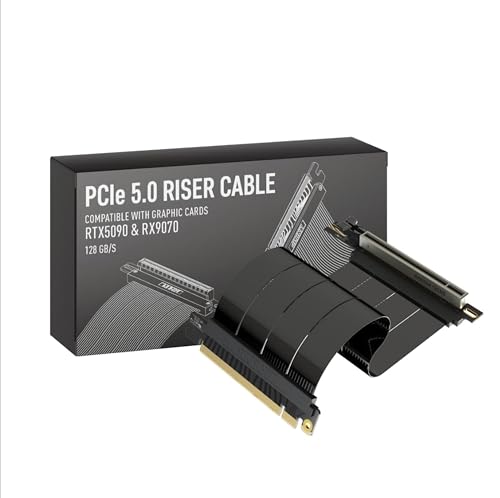
LINKUP 25cm Right Angle PCIe 5.0 Riser Cable
Best for: vertical GPU builds needing 25cm right-angle routing
- Interface
- PCIe 5.0 (what this guide is about)
- Interface Standard
- PCIe 5.0
- Slot Configuration
- x16
- Cable Length
- 25cm
- Connector Angle
- Right Angle
- Maximum Bandwidth
- 128GB/s
View on Amazon: LINKUP 25cm Right Angle PCIe 5.0 Riser Cable
This 25cm PCIe 5.0 x16 riser cable from LINKUP connects your graphics card to your motherboard at full 128GB/s bandwidth. It features a right-angle connector, multilayer EMI shielding, and tuned impedance conductors to preserve signal integrity across tight bends. Backward-compatible with PCIe 4.0, this cable suits you if you need a flexible vertical GPU mount in standard mid-towers, open test benches, or compact ITX cases.
Pros
- Delivers full PCIe 5.0 x16 bandwidth up to 128GB/s
- Right-angle connector designed for vertical GPU mounting
- Multilayer shielding suppresses electromagnetic interference and crosstalk
- Backward-compatible with PCIe 4.0 motherboards and cards
Cons
- Fixed 25cm length cannot be adjusted if clearances change
- Mounting brackets and standoffs are not included
Good fit if
- You mount your GPU vertically in a case layout requiring a 25cm reach.
- You need 128GB/s bandwidth on a PCIe 5.0 x16 connection.
- You route cables through tight bends where multilayer EMI shielding is necessary.
Skip if
- You require a straight, left-angle, or reverse connector orientation.
- You need a distance shorter or longer than 25cm between slots.
Verdict: LINKUP 25cm Right Angle PCIe 5.0 Riser Cable delivers full 128GB/s PCIe 5.0 bandwidth with dedicated multilayer shielding for vertical mounts. It offers dependable signal integrity and flexible routing across standard desktop and ITX enclosures.

LINKUP 19cm Double Reverse PCIe 5.0 Riser Cable
Best for: ITX sandwich case graphics card mounting
- Interface
- PCIe 5.0 (what this guide is about)
- Interface Standard
- PCIe 5.0
- Slot Configuration
- x16
- Cable Length
- 19cm
- Connector Angle
- Double Reverse
- Maximum Bandwidth
- 128GB/s
View on Amazon: LINKUP 19cm Double Reverse PCIe 5.0 Riser Cable
The LINKUP Double Reverse 19cm PCIe 5.0 Riser Cable provides a dedicated small-form-factor connection between your motherboard and graphics card. It delivers 128GB/s across a PCIe 5.0 x16 interface and features a double reverse connector layout. Multilayer shielding maintains signal integrity across sharp bends. If you are building a compact ITX sandwich system and need Gen5 speeds without excess slack, this cable fits your enclosure.
Pros
- Full PCIe 5.0 x16 bandwidth reaching 128GB/s
- Multilayer shielding to suppress EMI and crosstalk
- Double reverse connector configured for ITX sandwich layouts
- Backward compatible with PCIe 4.0 motherboards and cards
Cons
- Fixed 19cm length is too short for standard ATX enclosures
- Double reverse orientation is incompatible with standard vertical brackets
Good fit if
- You build inside an ITX sandwich case requiring double reverse connectors.
- You need full PCIe 5.0 x16 bandwidth of 128GB/s in a compact route.
- You require multilayer shielding to protect signal integrity through tight bends.
Skip if
- You assemble a build in a standard mid-tower or full-tower chassis.
- You need a straight or standard right-angle PCIe connector orientation.
Verdict: LINKUP Double Reverse 19cm PCIe 5.0 Riser Cable provides the exact connector geometry and length required for compact ITX sandwich enclosures. It delivers full 128GB/s bandwidth with multilayer shielding to maintain signal integrity through tight bends.
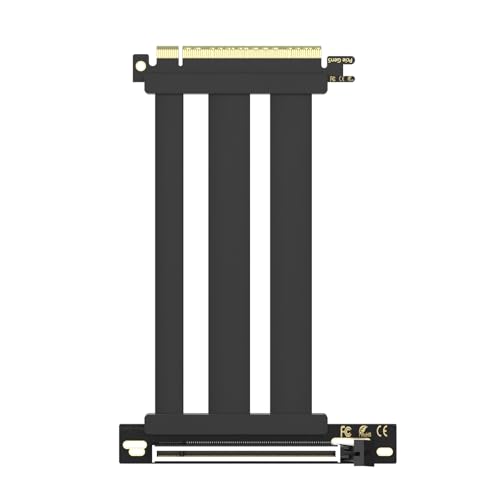
GLOTRENDS 150mm PCIe 5.0 Riser Cable
Best for: Vertical GPU mounting in standard mid-tower cases
- Interface
- PCIe 5.0 (what this guide is about)
- Interface Standard
- PCIe 5.0
- Slot Configuration
- x16
- Cable Length
- 150mm
- Connector Angle
- 90 Degree Right Angle
- Maximum Bandwidth
- up to 64GB/s
This is a 150mm PCIe 5.0 x16 riser cable designed with a 90-degree right-angle connector. It delivers bandwidth up to 64GB/s across CPU-direct Gen 5 slots, along with up to 78W of power via a dedicated 12V pin layout. Built with 30AWG silver-plated copper and individual foil shielding, it suits you if you need a compact vertical GPU mount inside a standard mid-tower case.
Pros
- Delivers full PCIe 5.0 x16 transfer speeds up to 64GB/s
- Provides up to 78W power delivery using ten dedicated 12V pins
- Constructed with 30AWG silver-plated copper wiring and double-ground foil shielding
- Right-angle 90-degree design fits standard vertical chassis mounts
Cons
- 150mm length provides limited reach for larger full-tower cases
- Does not support hot swapping
Good fit if
- You mount your GPU vertically in a standard mid-tower chassis
- You require up to 78W motherboard slot power for flagship graphics cards
Skip if
- You need a straight connector instead of a 90-degree angle
- You require a cable longer than 150mm to clear your layout
Verdict: GLOTRENDS 150mm PCIe 5.0 Right Angle Riser Cable delivers full 64GB/s bandwidth and 78W slot power delivery in a compact profile. It provides solid shielding and reliable fitment for standard vertical GPU installations.

ConnBull 150mm PCIe 5.0 Riser Cable
Best for: compact PCIe 5.0 graphics card installations
- Interface
- PCIe 5.0 (what this guide is about)
- Interface Standard
- PCIe 5.0
- Slot Configuration
- x16
- Cable Length
- 150 mm
- Maximum Bandwidth
- 128 GB/s
- Shielding Type
- extreme shielding
The ConnBull 150mm PCIe 5.0 Riser Cable connects your graphics card using a PCIe 5.0 x16 interface rated for up to 128GB/s data transfers. Its 150mm length suits compact builds where you need minimal cable slack between your motherboard and GPU. Built in black with reinforced connectors, it gives you full-bandwidth expansion without excess wiring inside your chassis.
Pros
- PCIe 5.0 x16 interface supporting up to 128GB/s data transfer
- Compact 150mm length minimizes interior cable clutter
- Reinforced connector design built for repeated handling
- Available in alternate 200mm and 300mm size options
Cons
- 150mm length limits reach in spacious chassis layouts
- No right-angle connector orientation listed
Good fit if
- You need a PCIe 5.0 x16 connection capable of 128GB/s throughput.
- You want a short 150mm black extender cable for close-proximity mounting.
Skip if
- You need an angled or 90-degree connector header.
- You require more than 150mm of cable reach between your motherboard and GPU.
Verdict: ConnBull 150mm PCIe 5.0 Riser Cable delivers uncompressed 128GB/s Gen 5 bandwidth in a compact form factor. It provides a reliable high-speed connection for setups requiring minimal distance between slots.

GIGA-MEGA PCIe 5.0 x16 50cm Straight Riser Cable
Best for: Large chassis and server-grade PCIe 5.0 setups
- Interface
- PCIe 5.0 (what this guide is about)
- Interface Standard
- PCIe 5.0
- Slot Configuration
- X16
- Cable Length
- 50cm
- Connector Angle
- Straight
- Shielding Type
- Aluminum shielded
View on Amazon: GIGA-MEGA PCIe 5.0 x16 50cm Straight Riser Cable
This PCIe 5.0 x16 riser cable from GIGA-MEGA measures 50cm in a straight configuration. It features aluminum-shielded Twinax wiring with 216 conductors across 164 connected pins, delivering up to 75W of slot power without extra cabling. You get native Gen 5 bandwidth for modern graphics cards, accelerator cards, or RAID controllers without BIOS downclocking. It suits your build if you need extended reach in larger cases or server racks.
Pros
- Delivers 75W slot power without auxiliary power cables
- Full 164-pin connection using 216 discrete conductors
- Aluminum-shielded Twinax construction for signal isolation
- Maintains PCIe 5.0 speed without manual BIOS downclocking
Cons
- Requires verifying mounting hole spacing before installation
- 50cm straight design creates excess slack in small cases
Good fit if
- You need a 50cm straight connection for full-tower or server enclosures.
- You run PCIe 5.0 hardware that requires all 164 pins connected.
- You want up to 75W of slot power delivered directly through the riser.
Skip if
- You assemble a small-form-factor build where 50cm causes cable clutter.
- You require an angled connector to fit standard vertical GPU brackets.
Verdict: GIGA-MEGA PCIe 5.0 Straight 50cm Riser Cable provides low-loss Twinax shielding and 164-pin connectivity for high-bandwidth Gen 5 devices. It is a practical fit when you need extended distance and standard 75W slot power in spacious enclosures.

TRYX String 200mm PCIe 5.0 Riser Cable
Best for: shielded vertical GPU mounting in compact layouts
- Interface
- PCIe 5.0 (what this guide is about)
- Interface Standard
- PCIE 5.0
- Slot Configuration
- x16
- Cable Length
- 200mm
- Maximum Bandwidth
- up to 128GB/s
- Dimensions
- 10.8 × 6.2 × 1.2 inches
The TRYX String 200mm PCIe 5.0 Riser Cable lets you mount your graphics card vertically without sacrificing modern bandwidth. It supports PCIe 5.0 x16 speeds up to 128GB/s, featuring an ultra-flexible TPE cable, electromagnetic shielding, and a 6-layer PCB base with gold-plated connectors. This cable suits you if you need a flexible 200mm connection that isolates signal noise across tight chassis clearances.
Pros
- PCIe 5.0 x16 interface supports up to 128GB/s bidirectional bandwidth
- 6-layer industrial-grade PCB base with gold-plated connectors
- Enhanced electromagnetic shielding prevents EMI and signal noise
- Flexible TPE material eases installation in tight spaces
Cons
- 200mm length does not fit setups requiring long cable routing
- No angled or double-reverse connector options listed for this model
Good fit if
- You need a 200mm PCIe 5.0 x16 riser capable of up to 128GB/s transfer speeds.
- You route wiring near power modules or RGB headers and need EMI shielding.
- You require a flexible TPE cable for tight vertical GPU installations.
Skip if
- You need a cable run longer than 200mm for a large tower chassis.
- You require dedicated 90-degree right-angle or reverse connectors.
Verdict: TRYX String 200mm PCIe 5.0 Riser Cable delivers full 128GB/s bandwidth with robust EMI shielding and flexible TPE construction. It is a dependable choice for vertical GPU mounting across standard layouts.

HYTE PCIe 5.0 Hyper Riser Cable
Best for: HYTE Y-Series vertical GPU mounting
- Interface
- PCIe 5.0 (what this guide is about)
- Interface Standard
- PCIe 5.0
- Slot Configuration
- x16
- Maximum Bandwidth
- 64 GB/s
- Shielding Type
- protective EMI shielding
- Weight
- 6 ounces
The HYTE PCIe 5.0 Hyper Riser Cable is a vertical graphics card extender engineered for high-bandwidth builds. It supports the PCIe 5.0 standard with full x16 throughput up to 64 GB/s and 32 GT/s per lane. It features 30 AWG cabling with EMI shielding alongside a reinforced metal slot designed to resist bending. This cable suits you if you need reliable Gen 5 signal transfer for your HYTE Y-Series chassis.
Pros
- Full PCIe 5.0 x16 bandwidth with 32 GT/s transfer rate per lane
- Reinforced metal slot resists lateral and vertical physical stress
- 30 AWG wiring with protective EMI shielding
- Six color canopy options designed for HYTE Y-Series cases
Cons
- Integrated canopy design is tailored specifically to HYTE Y-Series cases
- Available in only two height options up to roughly 5.91 inches
Good fit if
- You install a graphics card vertically inside a HYTE Y-Series case.
- You need PCIe 5.0 x16 throughput up to 64 GB/s.
- You want reinforced slot construction to support heavy card mounting.
Skip if
- You use a standard case that cannot fit the HYTE canopy design.
- You need cable lengths longer than 5.91 inches.
Verdict: HYTE PCIe 5.0 Hyper Riser Cable delivers full Gen 5 x16 bandwidth alongside reinforced physical slot protection. It is a precise fit for builders assembling hardware inside compatible HYTE enclosures.

ELECNEXUS 200mm PCIe 5.0 Riser Cable
Best for: vertical PCIe 5.0 GPU mounting
- Interface
- PCIe 5.0 (what this guide is about)
- Interface Standard
- PCIe 5.0
- Slot Configuration
- x16
- Cable Length
- 200mm
- Maximum Bandwidth
- 128GB/s
- Shielding Type
- Triple-Layer EMI Shielding
This ELECNEXUS 200mm cable connects your PCIe 5.0 graphics card to a vertical mount inside your computer case. It provides full PCIe 5.0 x16 bandwidth at up to 128GB/s, backward compatibility with PCIe 4.0 and 3.0, and up to 78W of slot power delivery. Triple-layer EMI shielding protects the high-speed signal lines. It suits you if you need a flexible vertical riser for recent RTX or RX series graphics cards.
Pros
- PCIe 5.0 x16 interface delivering up to 128GB/s bandwidth
- Up to 78W power delivery via dedicated 12V and 3.3V pins
- Triple-layer EMI shielding with metal, foil, and copper braiding
- 6-layer PCB with 5μm gold-plated contacts and flexible TPE jacket
Cons
- Does not include an integrated vertical mounting chassis bracket
- Connector orientation angle is not specified in the product data
Good fit if
- You need 128GB/s PCIe 5.0 x16 bandwidth for modern RTX or RX graphics cards.
- You want up to 78W slot power delivery with dedicated 12V and 3.3V lines.
- You require a 200mm riser with triple-layer interference shielding.
Skip if
- You require a pre-installed vertical GPU mounting frame or bracket.
- You need a different cable length to reach your motherboard slot.
Verdict: ELECNEXUS 200mm PCIe 5.0 Riser Cable delivers full 128GB/s bandwidth and 78W power delivery backed by triple-layer shielding. It is a capable riser option for vertical GPU setups in cases that already provide mounting brackets.

LINKUP 90cm Straight PCIe 5.0 Riser Cable
Best for: long-reach vertical GPU and open-bench installations
- Interface
- PCIe 5.0 (what this guide is about)
- Interface Standard
- PCIe 5.0
- Slot Configuration
- x16
- Cable Length
- 90cm
- Connector Angle
- Straight
- Maximum Bandwidth
- 128GB/s
This 90cm PCIe 5.0 x16 riser cable from LINKUP connects your graphics card across long distances inside your chassis. It delivers full 128GB/s bandwidth and features multilayer shielding to prevent electromagnetic interference. With its straight connector orientation and extended 35.4-inch reach, it suits you if you need to route a vertical GPU across large towers, open test benches, or custom water-cooled builds without losing signal integrity.
Pros
- Full PCIe 5.0 x16 bandwidth rated up to 128GB/s
- Extended 90cm span covers oversized chassis and open bench setups
- Multilayer shielding suppresses crosstalk and electromagnetic interference
- Backward-compatible with PCIe 4.0 motherboards and components
Cons
- Long 90cm length produces excessive slack in compact enclosures
- Straight connector design does not provide a 90-degree bend for tight brackets
Good fit if
- You need an extended 90cm cable span for large cases, bench tables, or server layouts.
- You run high-bandwidth PCIe 5.0 x16 hardware requiring multilayer EMI shielding.
- You require a straight connection orientation rather than an angled plug.
Skip if
- You build in small form factor cases where 90cm creates unmanageable cable bulk.
- You require a right-angle or reverse connector to fit standard vertical mounting brackets.
Verdict: LINKUP 90cm Straight PCIe 5.0 Riser Cable provides maximum length and full 128GB/s throughput for spacious builds and bench tables. Its straight connector and heavy shielding ensure reliable PCIe 5.0 signal integrity across extended internal spans.
Specifications side by side
| Spec | LINKUP 25cm Right Angle PCIe 5.0 Riser Cable | LINKUP 19cm Double Reverse PCIe 5.0 Riser Cable | GLOTRENDS 150mm PCIe 5.0 Riser Cable | ConnBull 150mm PCIe 5.0 Riser Cable | GIGA-MEGA PCIe 5.0 x16 50cm Straight Riser Cable | TRYX String 200mm PCIe 5.0 Riser Cable | HYTE PCIe 5.0 Hyper Riser Cable | ELECNEXUS 200mm PCIe 5.0 Riser Cable | LINKUP 90cm Straight PCIe 5.0 Riser Cable |
|---|---|---|---|---|---|---|---|---|---|
| Interface Standard | PCIe 5.0 | PCIe 5.0 | PCIe 5.0 | PCIe 5.0 | PCIe 5.0 | PCIE 5.0 | PCIe 5.0 | PCIe 5.0 | PCIe 5.0 |
| Slot Configuration | x16 | x16 | x16 | x16 | X16 | x16 | x16 | x16 | x16 |
| Cable Length | 25cm | 19cm | 150mm | 150 mm | 50cm | 200mm | not specified | 200mm | 90cm |
| Connector Angle | Right Angle | Double Reverse | 90 Degree Right Angle | not specified | Straight | not specified | not specified | not specified | Straight |
| Maximum Bandwidth | 128GB/s | 128GB/s | up to 64GB/s | 128 GB/s | not specified | up to 128GB/s | 64 GB/s | 128GB/s | 128GB/s |
| Shielding Type | multilayer shielding | multilayer shielding | individually foil-wrapped | extreme shielding | Aluminum shielded | not specified | protective EMI shielding | Triple-Layer EMI Shielding | multilayer shielding |
| Interface | PCIe 5.0 | PCIe 5.0 | PCIe 5.0 | PCIe 5.0 | PCIe 5.0 | PCIe 5.0 | PCIe 5.0 | PCIe 5.0 | PCIe 5.0 |
| Form Factor | not specified | ITX | not specified | not specified | not specified | not specified | not specified | not specified | not specified |
| Weight | 5.29 ounces | not specified | not specified | 4.16 ounces | not specified | not specified | 6 ounces | 3.7 ounces | 8.75 ounces |
| Dimensions | not specified | not specified | not specified | 6.69 × 5.12 × 0.79 inches | not specified | 10.8 × 6.2 × 1.2 inches | not specified | not specified | not specified |
| Length | not specified | not specified | not specified | not specified | not specified | not specified | not specified | 9.8 inches | not specified |
| Width | not specified | not specified | not specified | not specified | not specified | not specified | not specified | 5.3 inches | not specified |
| Size | 25cm - v4 | 19cm - v2 | 150mm | 150 mm | Straight 50cm | 200mm | not specified | 200mm | 90cm - v2 |
| Color | All Black | Black | Black | Black | Black | Black | Pitch Black (Black) | 200mm | Black |
| Model | AG-P5-33SR-025BK | AVA5 | PCIE50-X16-150MM-0090D-Black | PCIE5.0-15CM | 0762983382794 | A-S200C-PCI5-G0K | ACC-HYTE-PCIE50-BB | PCIE5.0X16-200-H | AVA5 |
You can check host slot bandwidth in best motherboards with pcie 5 0 to confirm compatibility with your cables.
How to Choose the Right PCIe Cable
-
Check Total Bandwidth Ratings
PCIe 5.0 x16 connections theoretically provide high data throughput, but published bandwidth specifications vary among cables. Most full-bandwidth models list 128GB/s transfer speeds to support high-performance graphics cards without interface bottlenecks. However, some models publish lower ratings, such as the GLOTRENDS 150mm PCIe 5.0 Riser Cable, which lists 64GB/s bandwidth. You should inspect the data sheet for your expansion card to determine its required lane speed. If your graphics card demands unconstrained bidirectional Gen 5 throughput, verify that the cable explicitly specifies 128GB/s in its performance data.
-
Verify Slot Power Delivery
PCIe slots supply power directly to expansion cards alongside high-speed data lanes. Standard motherboard slots provide up to 75W of power across the interface. Certain riser cables state precise power handling figures, such as the GIGA-MEGA PCIe 5.0 x16 50cm Straight Riser Cable, which explicitly lists 75W slot power delivery. Other cables state up to 78W. When you select a riser cable for a high-draw graphics card, check the published power rating on the specification sheet. This ensures the cable lines can safely handle the full baseline wattage drawn from the motherboard.
-
Inspect Shielding Construction
PCIe 5.0 signals run at frequencies that are susceptible to electromagnetic interference from internal components like power supplies and fans. To preserve signal integrity across the length of the ribbon, manufacturers use specialized shielding methods. The ELECNEXUS 200mm PCIe 5.0 Riser Cable, for example, specifies triple-layer shielding to isolate high-frequency lines. Other designs rely on dedicated multilayer shielding or low-loss Twinax configurations. You should examine the shielding specifications if your system routes the riser cable in close proximity to power cables, motherboard VRMs, or power supply housings.
-
Review Sheathing Material
Riser cables must bend cleanly within chassis channels without creasing internal copper traces. Outer sheathing material determines both cable flexibility and resistance to wear. The TRYX String 200mm PCIe 5.0 Riser Cable incorporates flexible TPE construction, which allows smoother routing through tight enclosure corners. When building in space-constrained layouts, review the cable material details in the product specs. A pliable outer structure helps you position the ribbon flat against chassis trays without putting excessive mechanical strain on the solder joints at the connector ends.
-
Check Case Hardware Alignment
Some riser cables are engineered specifically for proprietary chassis mounting brackets or unique slot orientations. The HYTE PCIe 5.0 Hyper Riser Cable, for instance, provides reinforced physical slot protection tailored directly for compatible HYTE Y-Series cases. Before buying, compare your case manufacturer specifications against the riser cable dimensions and mounting points. If your enclosure includes an integrated vertical GPU bracket, you must verify that the riser female slot base lines up with the case standoff holes. Mismatched mounting holes will prevent secure GPU installation.
Frequently asked questions
What slot power delivery do PCIe 5.0 riser cables support?
PCIe 5.0 riser cables provide standard motherboard slot power ranging from 75W to 78W. For example, the GIGA-MEGA straight cable lists standard 75W slot power delivery. Other options like the GLOTRENDS 150mm and ELECNEXUS 200mm cables specify 78W slot power support to power your installed card.
Which PCIe 5.0 cable works best for open test benches or long spans?
Long-reach installations require extended straight riser cables designed for spacious hardware layouts. The LINKUP 90cm Straight Riser Cable provides the longest listed length at 90cm with 128GB/s throughput. For mid-range distances, the GIGA-MEGA 50cm Straight Riser Cable offers Twinax shielding and 164-pin connectivity across extended spans in your case.
What shielding materials do PCIe 5.0 computer cables use?
Manufacturers use dedicated multilayer, triple-layer, Twinax, or EMI shielding to prevent signal degradation. For example, the TRYX String 200mm pairs EMI shielding with flexible TPE construction. The ELECNEXUS 200mm specifies triple-layer shielding, while the GIGA-MEGA cable relies on low-loss Twinax shielding to maintain clear communication with your graphics hardware.
Can you use a 150mm PCIe 5.0 riser cable in compact setups?
Yes, 150mm cables fit setups requiring minimal distance between expansion slots. The ConnBull 150mm model offers uncompressed 128GB/s bandwidth within a 6.69-inch overall length. Similarly, the GLOTRENDS 150mm riser provides a right-angle profile delivering 64GB/s throughput and 78W slot power, making both practical for your tight builds.
Does the HYTE Hyper Riser Cable work with standard PC cases?
HYTE specifies this cable specifically for compatible HYTE Y-Series enclosures. It delivers full Gen 5 x16 bandwidth and includes reinforced physical slot protection. While it connects standard PCIe 5.0 hardware, you should verify the mounting layout in your enclosure before installation because its physical design targets HYTE cases.
How much do PCIe 5.0 riser cables weigh?
Listed PCIe 5.0 riser cables weigh between 3.7 ounces and 8.75 ounces based on their length. The ELECNEXUS 200mm model is the lightest at 3.7 ounces. Shorter options like the ConnBull 150mm weigh 4.16 ounces, while the extended LINKUP 90cm straight cable reaches 8.75 ounces for your build.